Powering OAK PoE devices
General specifications
- PoE Standard: 802.3af
- Max data transfer rate: 1 Gbps (1000BASE-T)
- Device power consumption: average ~4W, max 6.25W
PoE Switch or Injector
- 802.3af - 12.95W per port
- 802.3at - 25.5W per port
- 802.3bt/3 - 51W per port
- 802.3bt/4 - 71W per port
- USW-Lite-8-PoE (here). This switch has 8 GbE RJ45 ports, including 4 PoE+ ports.
- USW-Lite-16-PoE (here). This switch has 16 GbE RJ45 ports, including 8 PoE+ ports.
- USW-16-PoE (here). This switch has 16 GbE RJ45 ports, including 8 PoE+ ports, and 2 1G SFP ports.
- USW-24-PoE (here).This switch has 24 GbE RJ45 ports, including 16 PoE+ ports, and 2 1G SFP ports.
- USW-48-PoE (here). This switch has 48 GbE RJ45 ports, including 32 PoE+ ports, and 4 1G SFP ports.
Powering from M8 connector
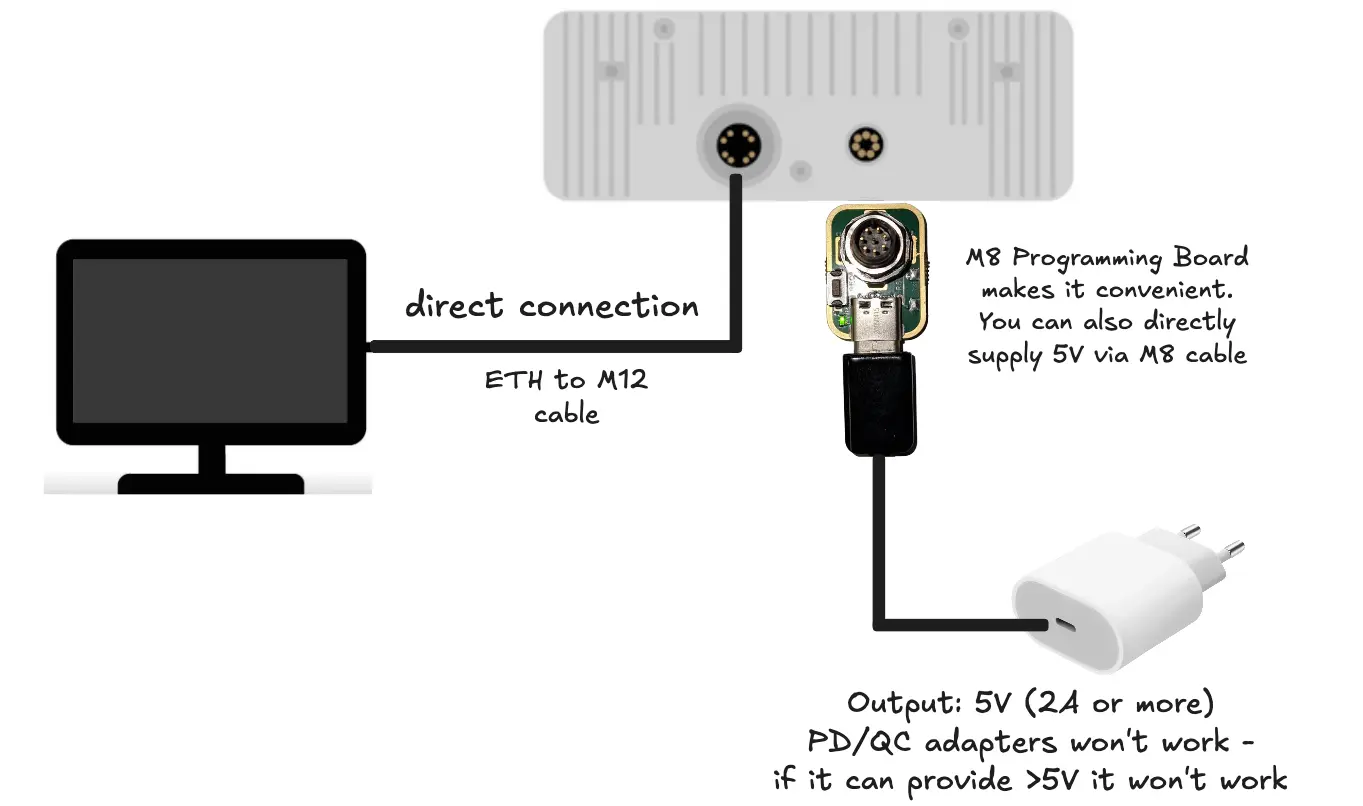 QC/PD power adapters (more expensive ones) have logic in there (over current protection) that will limit the current output to 0.5A (USB standard), which will cause the device to brownout (crash) during initialization, and depthai will throw an error like this:
Command Line
1Failed to find device after booting, error message: X_LINK_DEVICE_NOT_FOUNDMax 7.5W
Note that we have current protection of max 1.5A (so 7.5W) on M8 connector, which might cause unexpected crashes if you're using heavy-processing pipeline (NN, video encoder, stereo...), or use IR projector/LED. As current protection will cut off power peaks as well, your device could crash even if average consumption is 5.5W, as some peaks can be 2W.
Powering from a battery
- GPOE-48V-10W: Input voltage: 10-30V, output voltage: 48V. Works as expected.
- Solis energy PoE-24 HPI-1112: Input voltage: 12V / 24V DC. Works as expected.
- Tycon Power TPDIN-1256GD-BT: Input voltage: 11 ~ 60V. Works as expected.
- Tycon Power TP-DC-1248GDX2-HP: Input voltage: 10 ~ 15V. Only starts powering its own LED at 15V, so it is unreliable, even though the IEEE standard is 802.3af.
- PoE Power bank IDEA4TEC was also reported to work with our OAK cameras.
Passive PoE
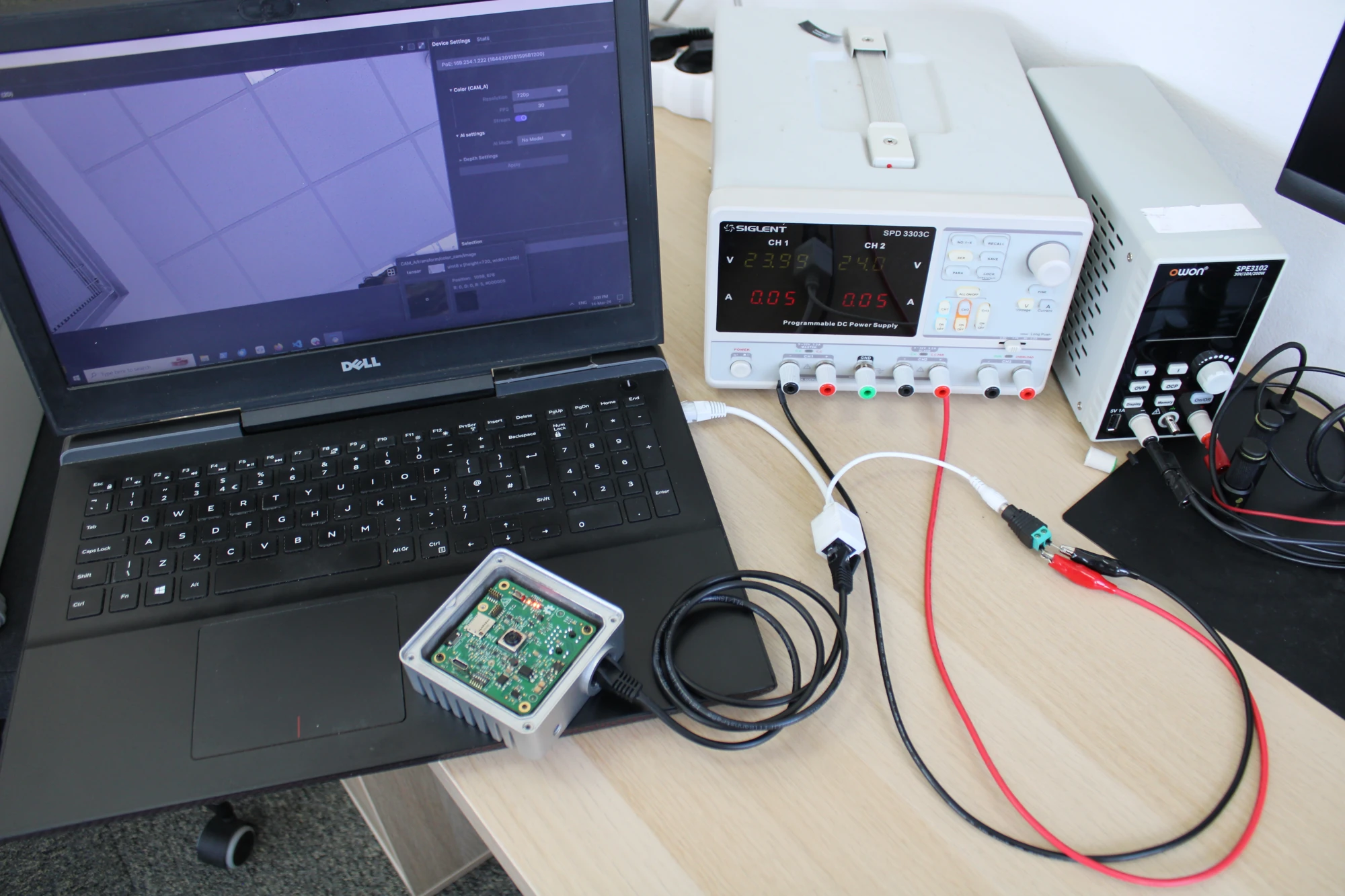 From the image you can see that the power LEDs are on, which means that the camera is getting power. We are supplying 48V and it's consuming about 0.1A, so about 5W, which is as expected. It's (slowly) streaming encoded video stream to the computer.
Ethernet Cables and weather resistance
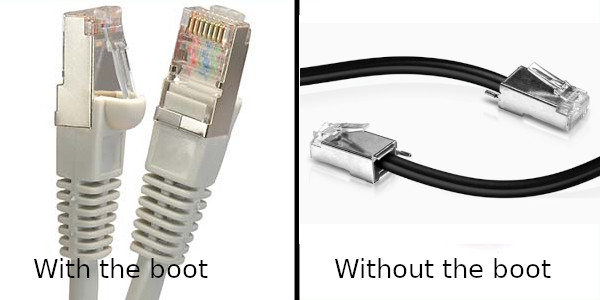 Cables with boots often will not fit in these water-sealing glands (since they are designed for these professional installations, which are "no-boot" installations). So, if you are installing outdoors, it is recommended to either use a no-boot pre-made cable, or us the "professional" technique of making the cable to length, or find a cable with a small boot that fits in the gland (some do). It is also worth noting that if installing outside, it is necessary to use a shielded Ethernet cable, otherwise wind/rain/hail/etc. will build up a static charge on the data wires in the cable and eventually destroy the PoE switch, the OAK PoE device, or both.For the custom-length cable route, you can use TOUGHCable PRO cable together with TOUGHCable connectors. Our team has used this combination extensively in the past for outdoor installations. (A crimping tool, such as this one is necessary to crimp the connectors to the cable.)
We recommend using Cat5e ethernet cable, as the newer ones are bigger and might not fit properly in the IP67 gland.
Powering from USB
- Connect the camera via USB-C so it works like the OAK-D (USB-C for power and communication). You need to change the DIP switch to 0x16 (as on the image here).
- Power the camera via USB-C while still communicating with it through ethernet as in the image below. You need to set static IP on your computer.
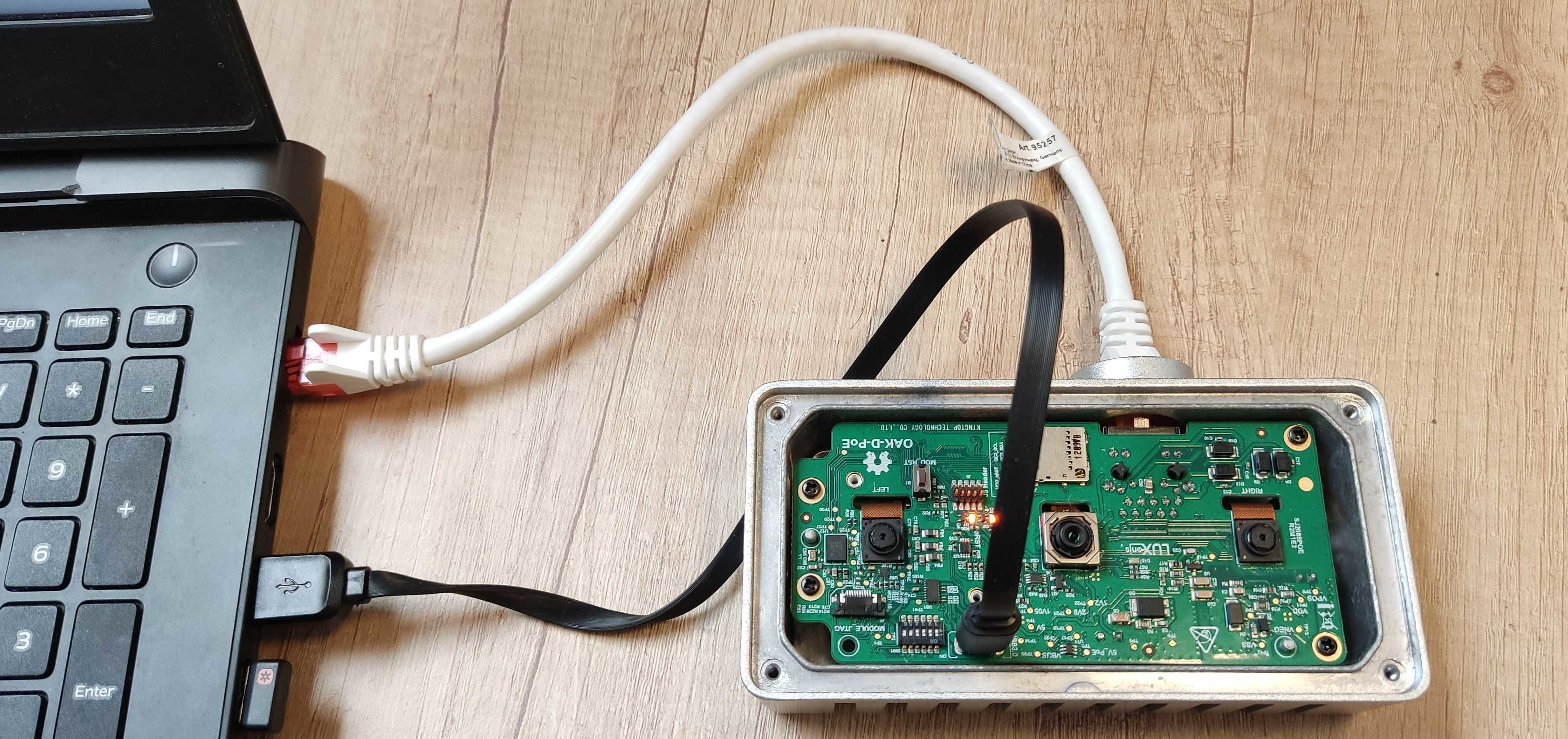 Powering OAK-D-POE via USB-C connectorIf you go with the second option, you will need to set your computer's static IP. By default, the camera will have a static IP
 169.254.1.222. So you would need to set your Ethernet adapter to static IP eg. 169.254.1.10 and netmask 255.255.0.0 in order for the OAK PoE camera to be in the same LAN and to be searchable by the DepthAI library.