Auto/Fixed Focus
Overview
| Parameter | Fixed-Focus (FF) | Auto-Focus (AF) |
|---|---|---|
| Vibration Tolerance | High | Low |
| Focus Range | 50 cm to infinity | 10 cm to infinity |
| Manual Focus | No - lens is glued | Yes - programmatically |
Vibration Tolerance
- Drone
- Lawn mower
- Heavy machinery
- Harley Davidson motorcycles (which are notorious for their vibrations), etc.
Focus Range
Manual Focus
- Runtime, with example here you can use
,and.to change focus - At boot time, with the following Python code:
Python
1pipeline = dai.Pipeline()
2rgbCam = pipeline.create(dai.node.ColorCamera)
3rgbCam.initialControl.setManualFocus(100) # 0..255Recognizing focus type
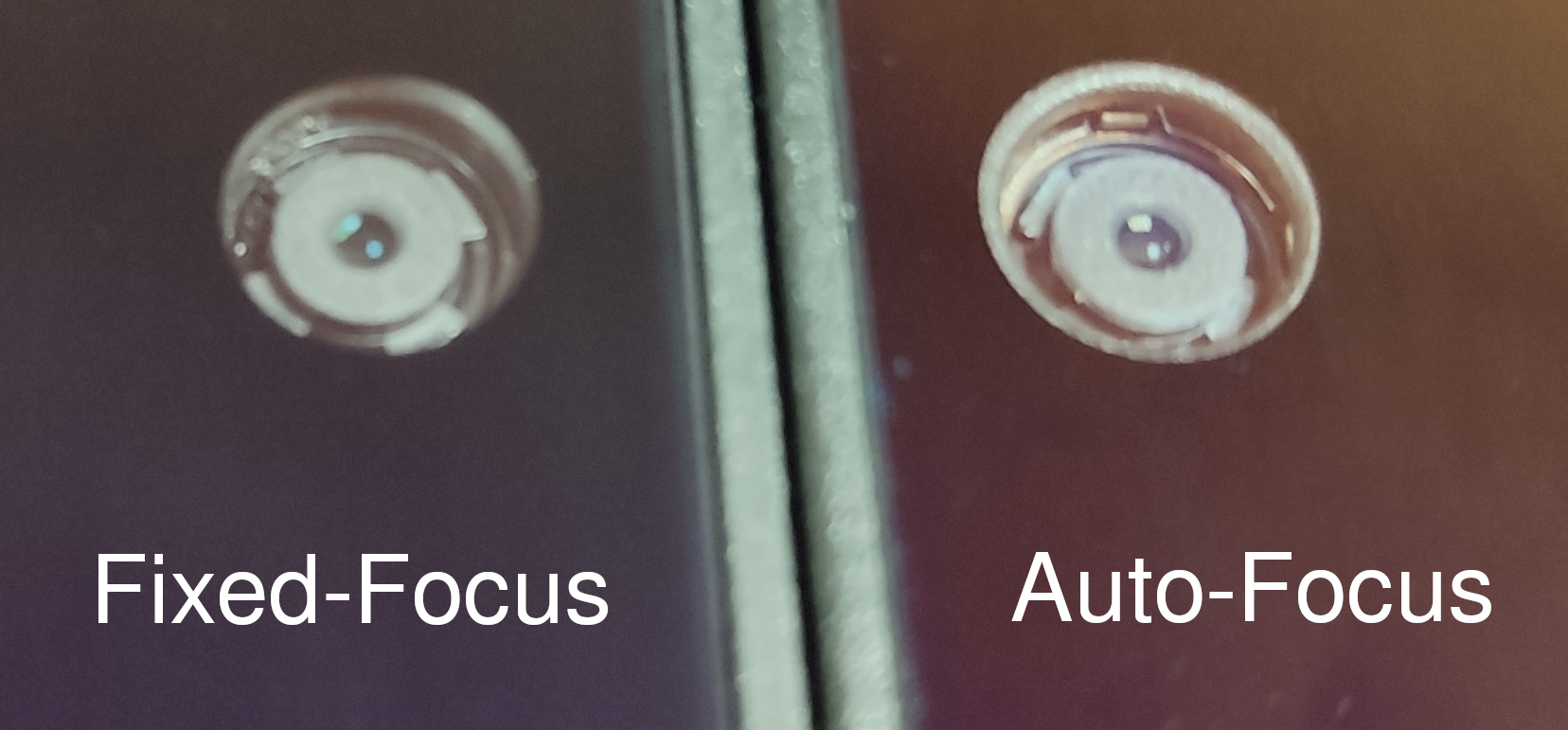 Another possibility would be to query this information using DepthAI API library:
Python
1import depthai as dai
2with dai.Device() as device:
3 print(device.getConnectedCameraFeatures())hasAutofocusIC field will be 1 for the AF camera, and 0 for the FF camera. So in this case, our OAK-D camera is AF:Python
1[
2    {socket: CAM_A, sensorName: IMX378, width: 4056, height: 3040, orientation: AUTO, supportedTypes: [COLOR], hasAutofocus: 0, hasAutofocusIC: 1, name: color},
3    {socket: CAM_B, sensorName: OV9282, width: 1280, height: 800, orientation: AUTO, supportedTypes: [MONO], hasAutofocus: 0, hasAutofocusIC: 0, name: left},
4    {socket: CAM_C, sensorName: OV9282, width: 1280, height: 800, orientation: AUTO, supportedTypes: [MONO], hasAutofocus: 0, hasAutofocusIC: 0, name: right}
5]hasAutofocusfield is what is stored in EEPROM (can be incorrect) and is mostly there for backwards compatibility.hasAutofocusICfield is the actual value read from the camera module (VCM controller). This field is the one you should rely on.