Manage Applications
Installing Applications
1. From Application page
First, select the application you want to install from the App Store or uploaded apps.On the application page, click "Install Application" and select the device for installation.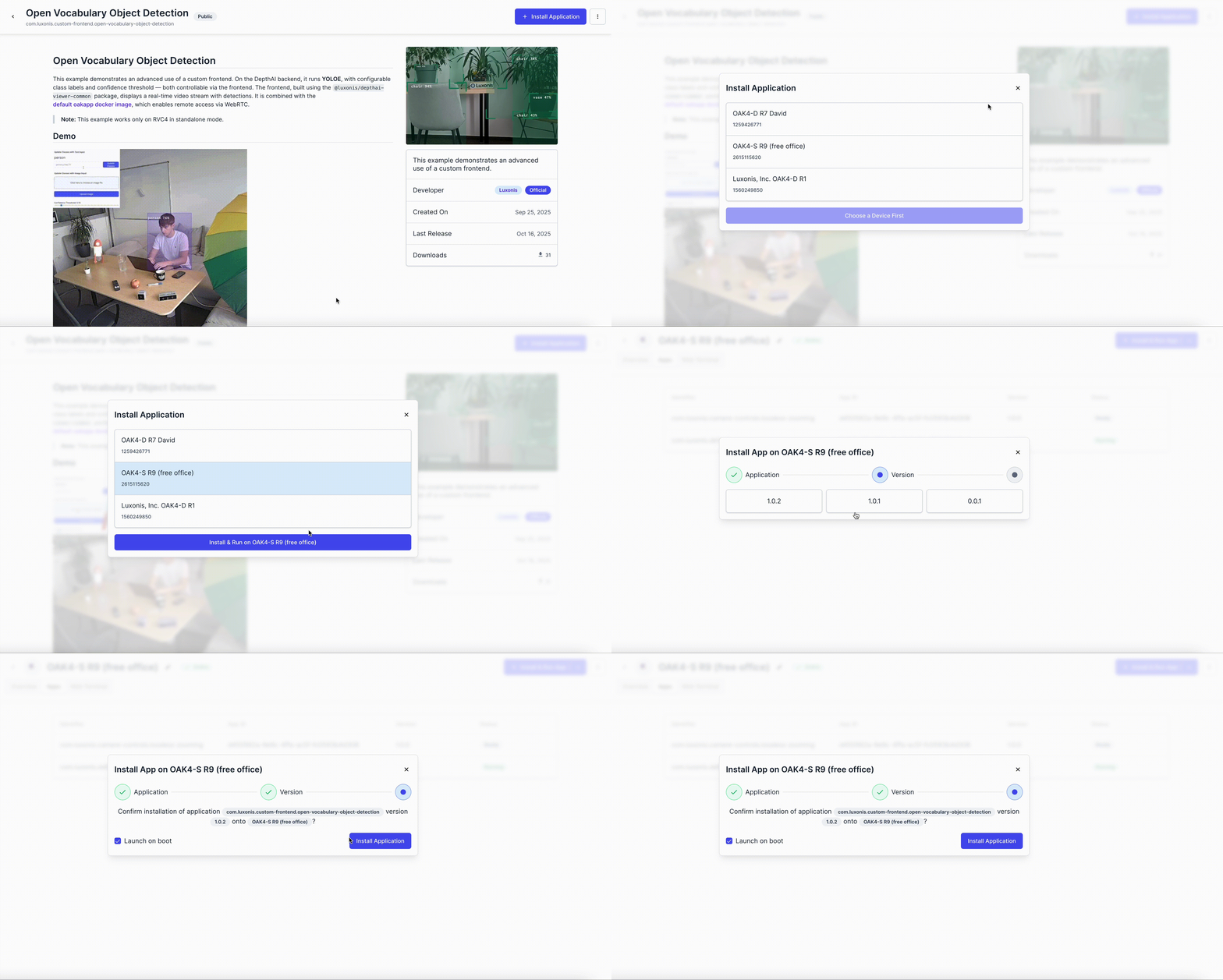
2. From Device page
First, select the device you wish to install the application on.On the Overview page, click on "Install & Run", select application, version, and install application.
Launch on boot
Enable Launch on boot option at the last step to ensure the application starts automatically after camera reboots or power losses.
Installation Behavior
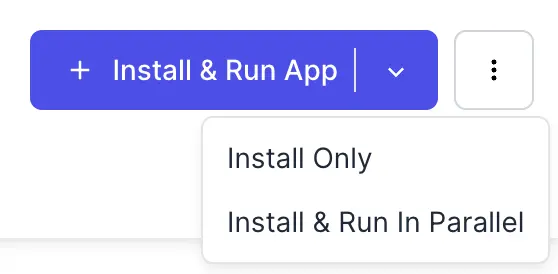
- Install & Run App (default): Installs the application, stops all currently running applications, and starts the newly installed one.
- Install Only: Installs the application but keeps it stopped until you start it manually.
- Install & Run in Parallel: Installs and starts the new application while keeping other running applications active.
⚠️ Use this option with caution. If multiple applications attempt to access DepthAI simultaneously, it may lead to crashes.
However, this mode can be useful for running additional utility apps that do not rely on DepthAI.
Application Statuses
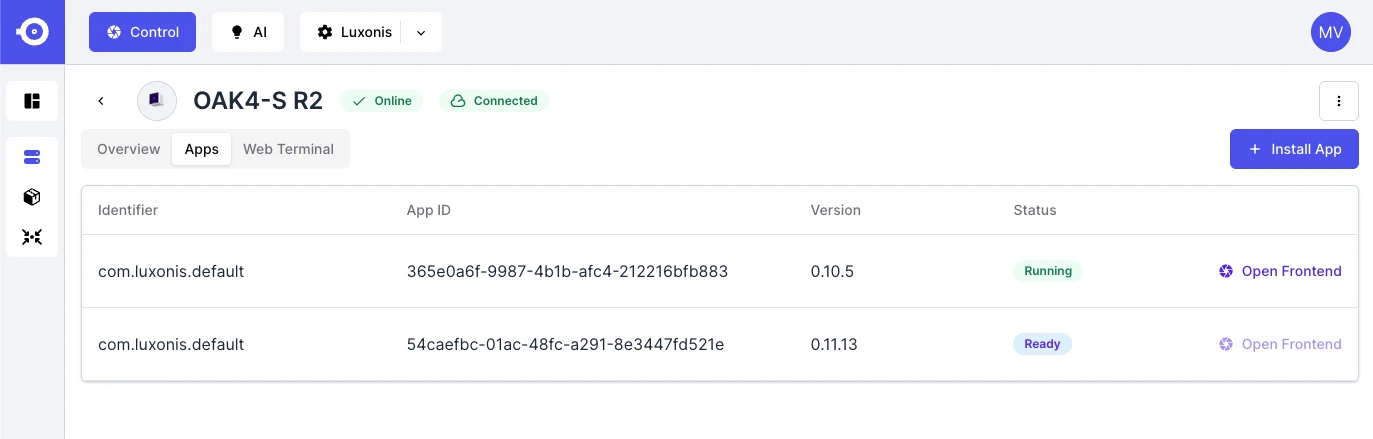
- Installing: The application is being installed on the device.
- Building: The application layers are being prepared or built locally.
- Ready: The application is installed and ready to start.
- Starting: The application is in the process of launching.
- Running: The application is currently active on the device.
- Stopping: The application is shutting down.
- Stopped: The application is installed but not currently running.
- Deleting: The application is being removed from the device.
- Failed: The application encountered an error during one of the previous operations.
- Unknown: The current state of the application cannot be determined.
Managing Applications on Device
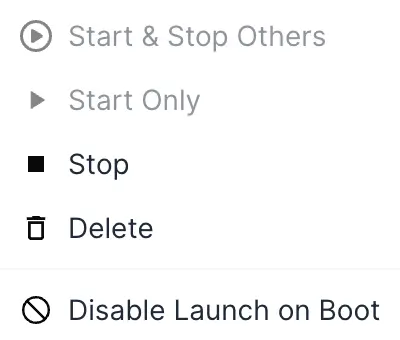
- Start & Stop Others: Starts the selected application and stops all other running applications on the device.
- Start Only: Starts the selected application without affecting others.
- Stop: Stops the currently running application.
- Delete: Removes the application from the device.
- Disable Launch on Boot: Prevents the application from automatically starting when the device boots.