Device Management
- Easily control devices connected to your organization.
- View detailed device information including status, hardware specs, and software versions.
- Perform remote OTA updates to manage OS, firmware, and agent without physical access to the device.
- Access a Web Terminal to securely connect to device's shell through Hub for advanced troubleshooting or maintenance.
List Devices
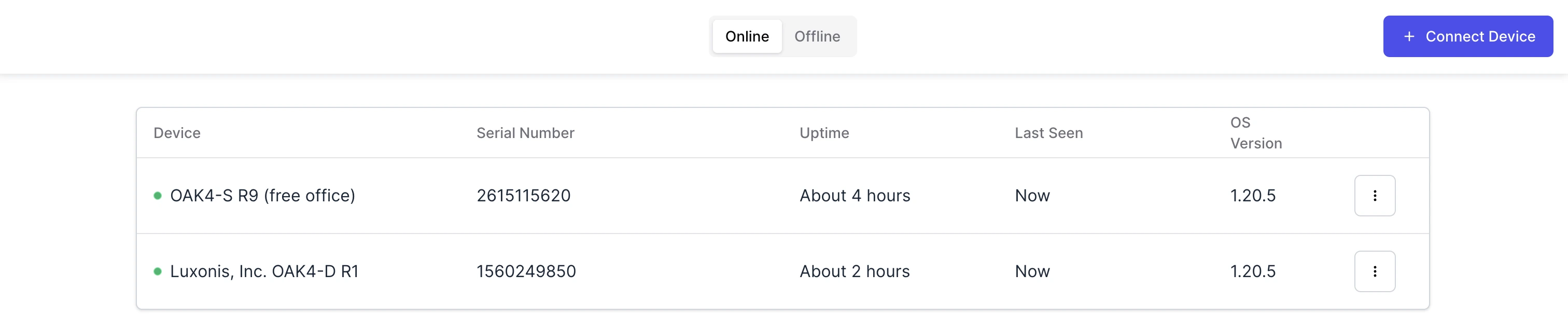
Connect a device
To add a new device, follow the steps in the Connect OAK guide.
Device Overview
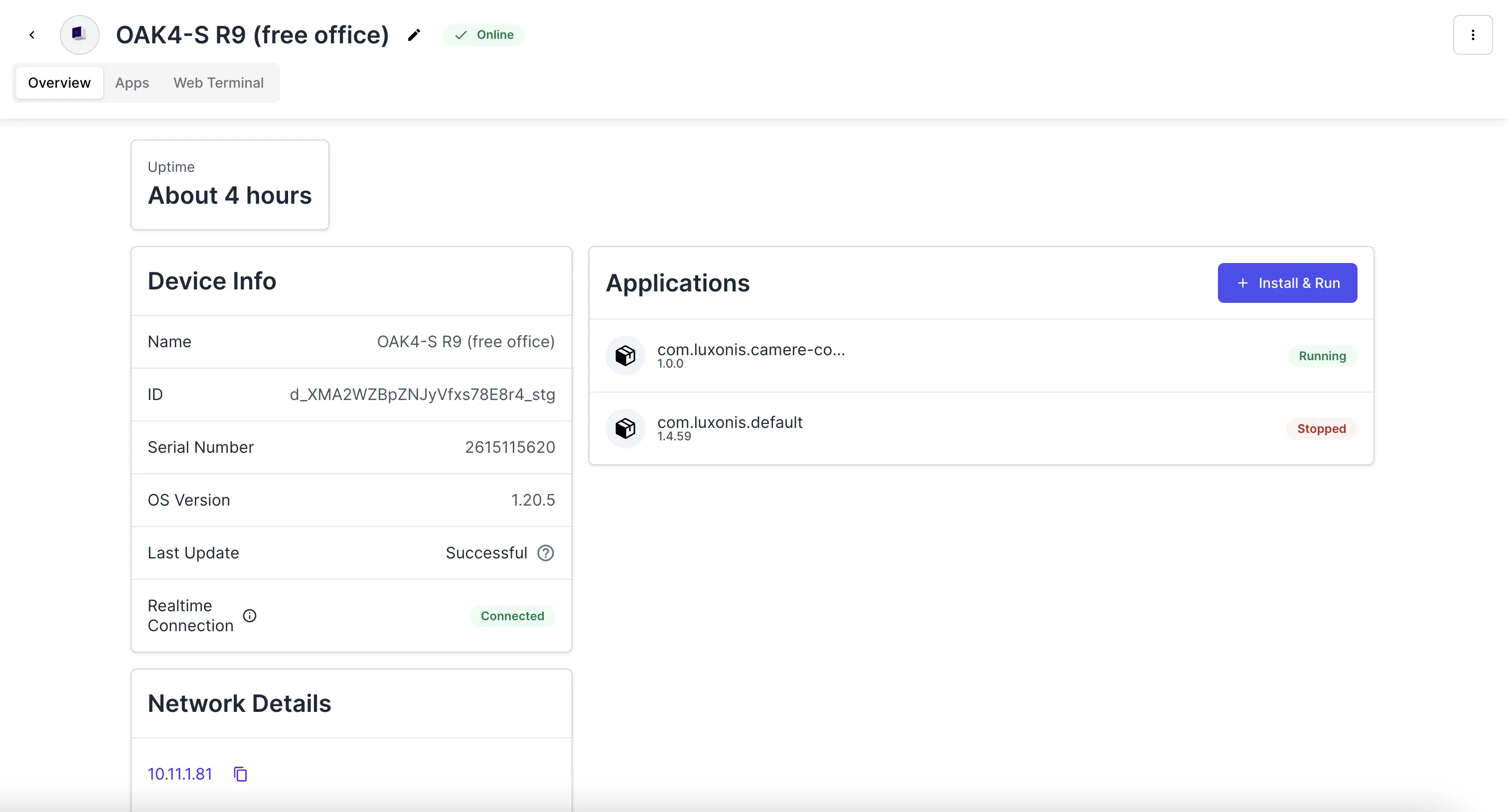 You can view:
- Uptime, showing how long the device has been running since the last reboot.
- Device Info, including key identifiers such as:
- Device name
- ID and serial number
- Installed OS version
- Last update status
- Realtime connection status
- Network Details, including device's local IP address for network reference.
- Applications, showing a list of all installed applications with their versions and current states.
- Updates, enabling you to perform over-the-air (OTA) updates of the device, including OS, firmware, or agent, directly from the overview page.
- Rename the device by clicking on the pencil icon near the name of the device.
- Reboot the device by clicking three dots in the top right corner and selecting the reboot option.
Update Device (OTA)
Learn how to perform over-the-air updates to keep your device OS and agent up to date.
Web Terminal
Access your device's shell directly from Hub for remote debugging and maintenance.
Manage Applications
Discover how to install, start, stop, and monitor applications running on your device.