Team Settings
Open Team Settings
You can access settings by clicking on your team name in the top navigation bar.
Under Team Settings, you can navigate to the following:
- Members: Manage team name, team slug, API keys, and members.
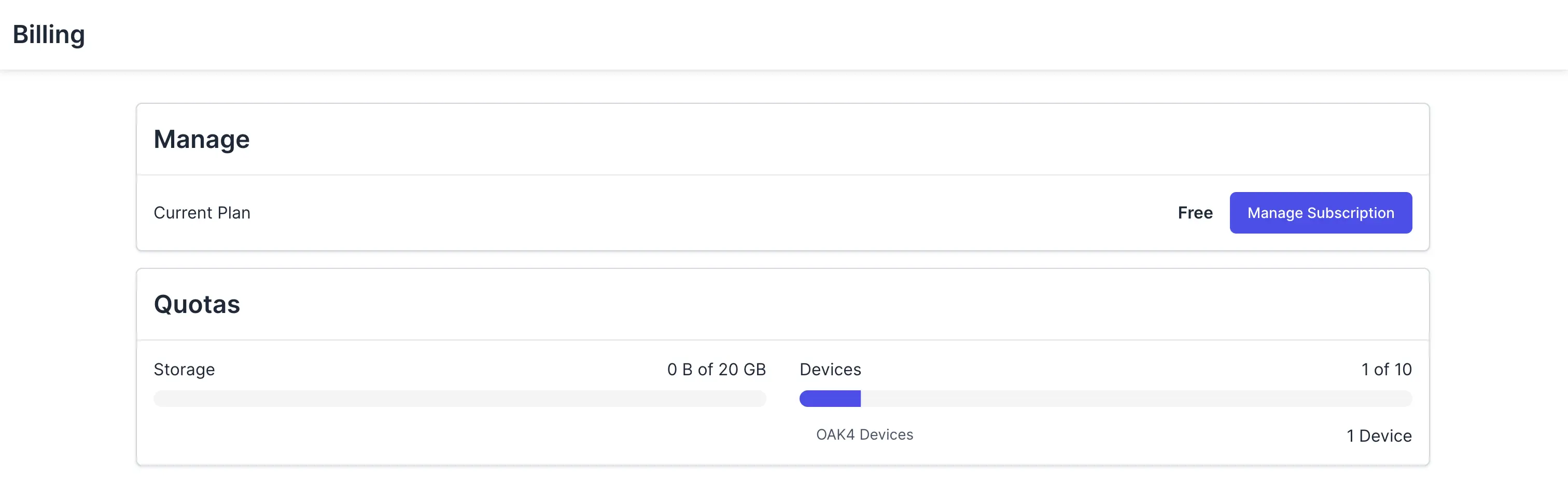
- Billing: Manage billing and view quotas.
Members
From here, you can:
- Invite Members: add new members to the team via email invitation.
- Manage Members: use the three dots next to each member to remove them.
- Update Team Identifier: change the identifier used for referencing models.
- Create API Key: generate an API key for API access or private model downloads.

Billing
- Manage Subscription: open the billing portal to update your plan, card, address, and other payment details.
- Current Plan: shows your active Hub plan.
- Quotas: view current usage limits and consumption.