Luxonis Hub 概述
重要性
当前可用性
基于清单的推出、广泛的 Webhook 集成和自托管 OTA 管理目前尚不普遍可用。
心智模型
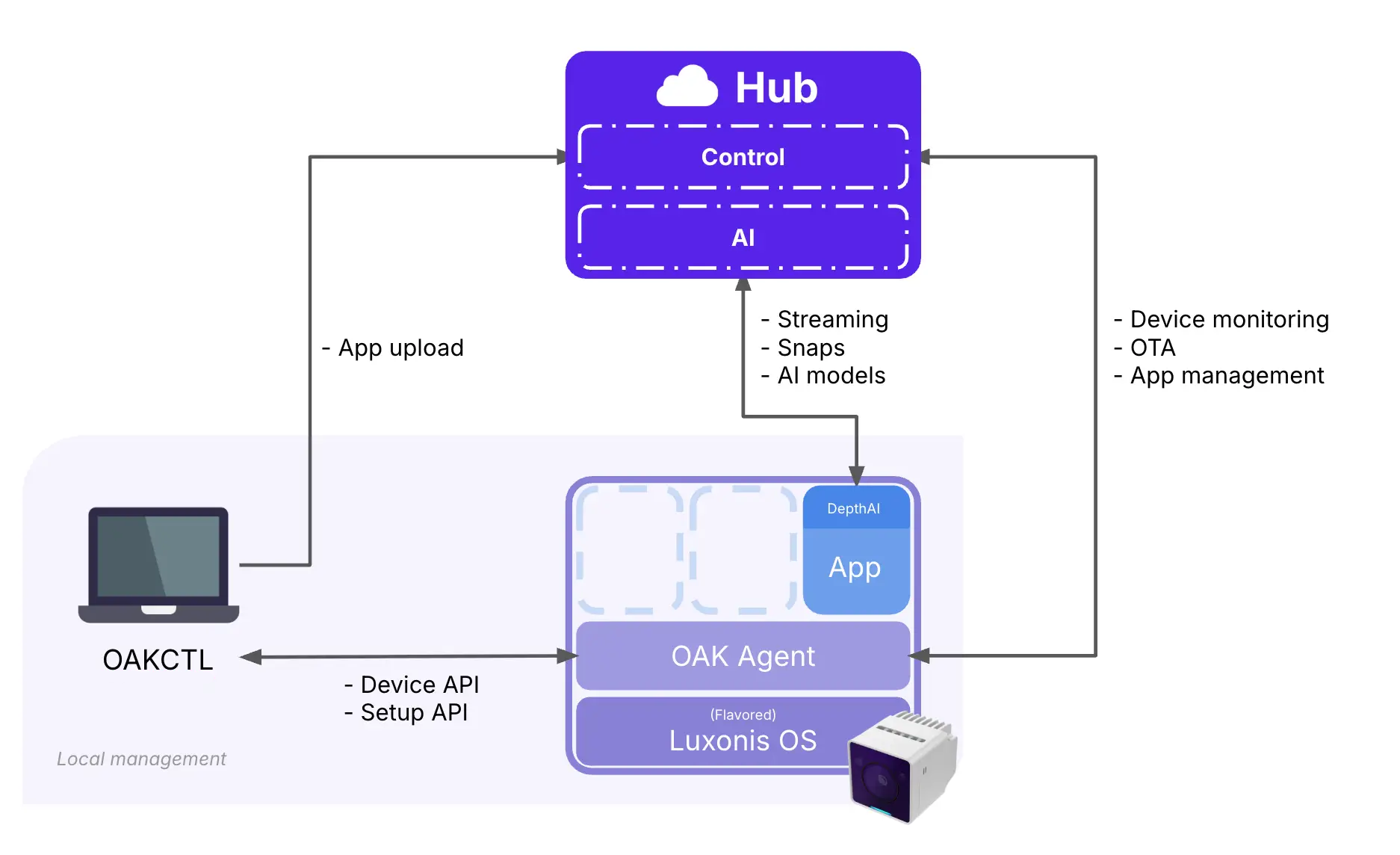
- 设备提供物理运行时环境。
- OAK Agent 将支持的设备连接到 Hub 并管理本地应用程序/运行时桥接。
- OAK Apps 承载应用程序逻辑、配置和可选的前端。
- 您的产品和后端可以将 Hub API 和流式处理原语集成到面向客户的工作流中。
核心功能实践
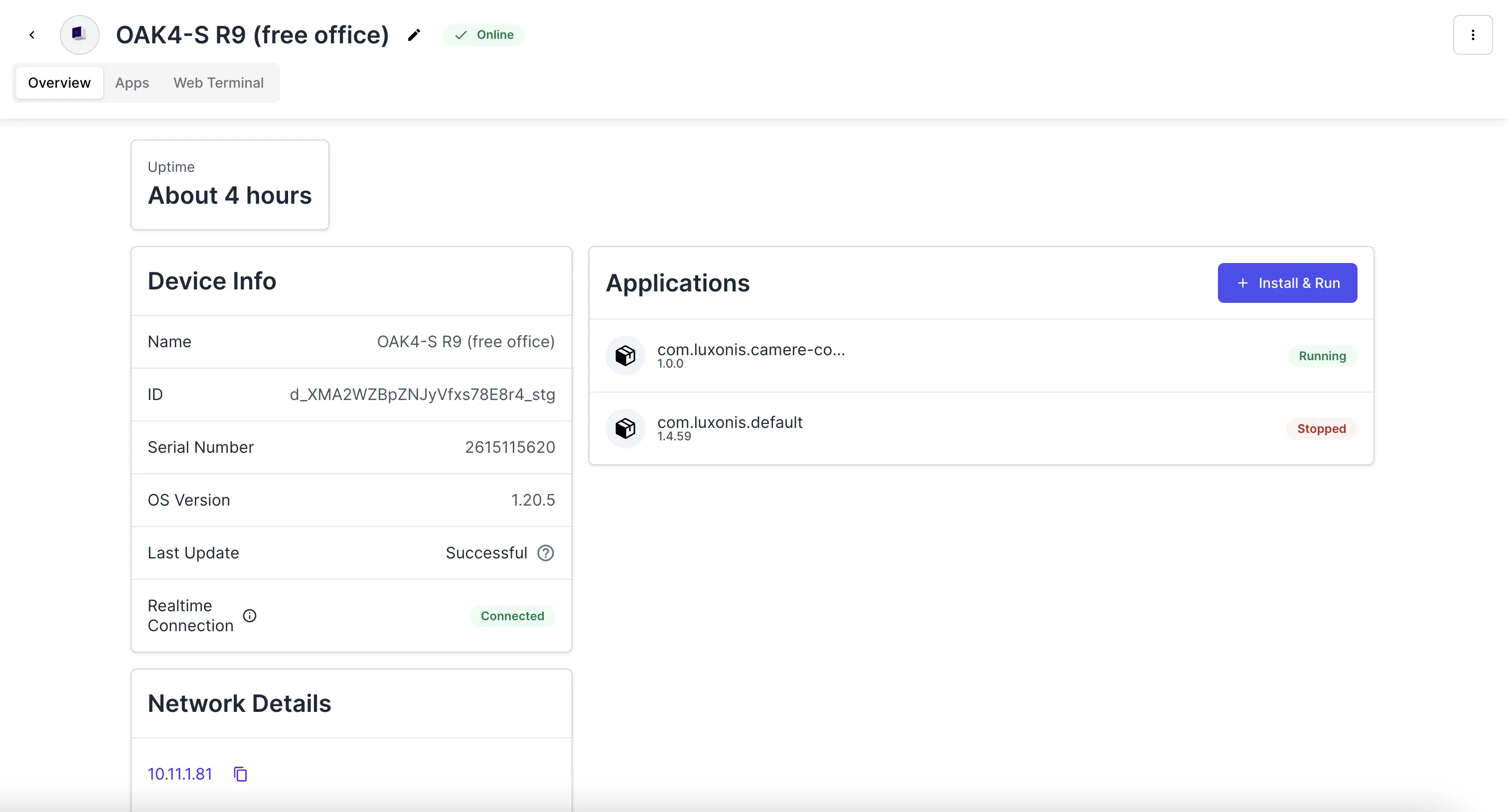
- 设备管理:跟踪设备状态、连接性、软件版本和远程操作详细信息。
- 应用程序生命周期:在托管设备上安装、更新、停止和检查 OAK Apps。
- 远程操作:在本地访问不可用时,使用 Web 终端、实时日志和远程可视化。
- 数据收集:捕获快照和相关输出来支持调试和模型改进。
- 客户集成:将 Hub 连接到您自己的后端、前端和操作系统。
- AI 和模型:在 Hub 中管理模型,并将其转换为可在 Luxonis 硬件上部署。
核心概念
设备
- 已安装代理的 Series 4 相机。
- 支持的 Linux 主机,例如 NUC 或 Jetson,已安装代理并连接了支持的 OAK 设备。
OAK Agent
- 在 Series 4 设备上,代理是支持的 Hub 管理路径的一部分。
- 在自托管 Linux 部署中,代理将主机和连接的硬件连接到 Hub。
oak-agent 和应用程序层,而不是完整的宿主生命周期管理。OAK App
- 它通过
oakapp.toml进行配置。 - 它可以公开静态前端或回退到 Hub 的默认可视化器路径。
- 它可以发出日志、流式传输输出,并生成快照或其他收集的工件。
Build and run an OAK App
Learn how to create, configure, and deploy an OAK App using the current software stack.
Example apps
Browse example repositories and reference implementations for common OAK workflows.
oakctl
oakctl 是用于 OAK App 开发和附近设备工作的主要本地 CLI。使用它来构建应用程序、运行本地迭代、在开发过程中检查设备以及将应用程序工件发布到 Hub。详细了解 oakctl集成和管理边界
- 客户用户 -> 客户前端 -> 客户后端 -> Hub API 和流式处理原语
- 客户身份验证仍由客户拥有
- Hub API 密钥仅保留在您的后端
- 您的前端仅接收会话或可视化所需的派生有效负载
相关指南
Connect a device
Start the setup path for OAK4 adoption and supported self-hosted connection flows.
Manage devices
Inspect device state, remote access workflows, and OTA behavior for supported devices.
Manage applications
Install, run, inspect, and troubleshoot OAK Apps on connected devices.
Integration architecture
See the recommended customer-owned frontend/backend pattern for Hub integrations.