DepthAI V3

安装
Linux / MacOS
1. 安装 DepthAI v3
Command Line
1git clone https://github.com/luxonis/depthai-core.git && cd depthai-core
2python3 -m venv venv
3source venv/bin/activate
4# 安装库和依赖项
5python3 examples/python/install_requirements.pyCommand Line
1pip install depthai --force-reinstall组件
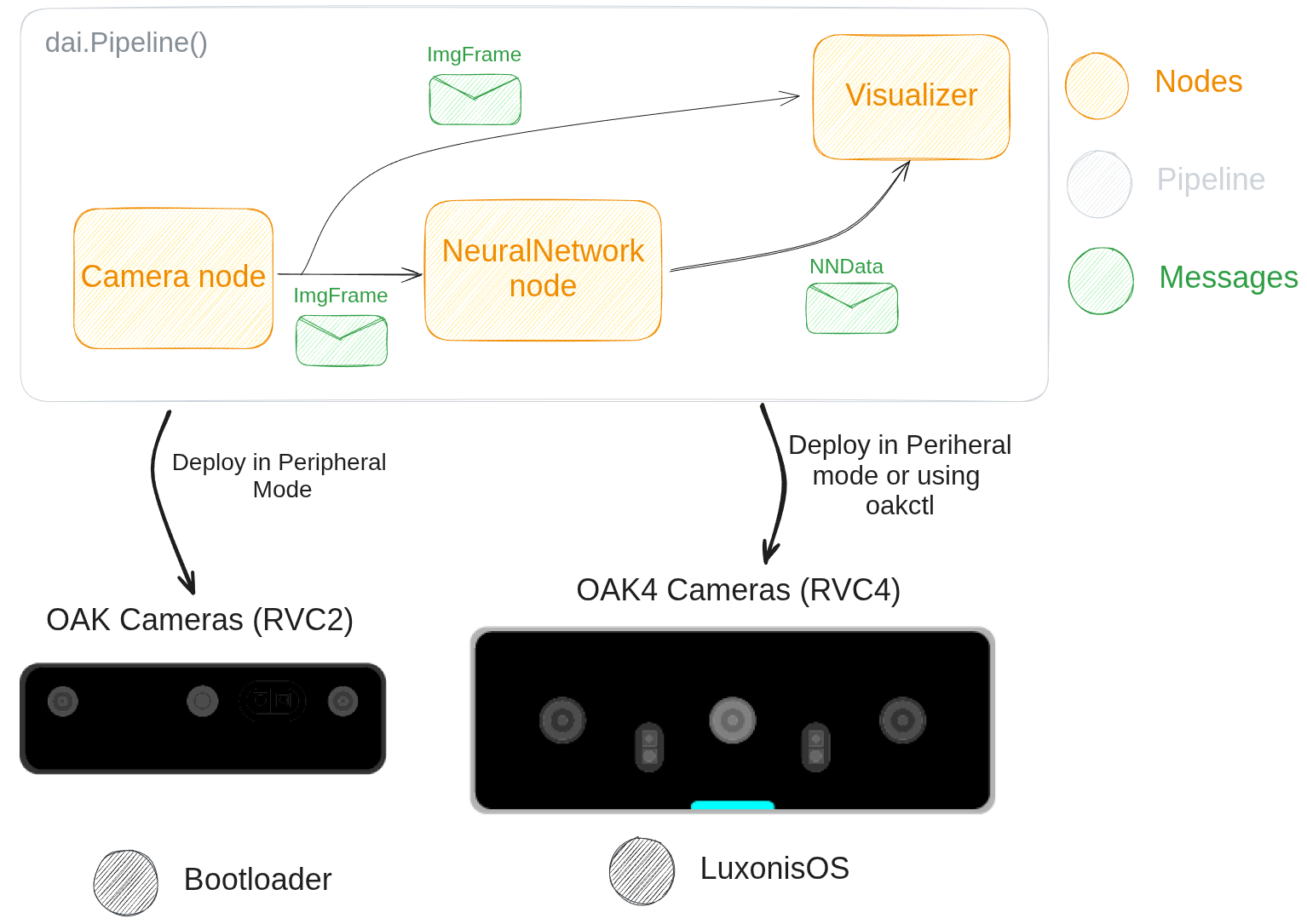
部署 AI 模型
预训练模型
自定义模型
- 离线通过 ModelConverter (
nn_archive.tar.xz) - HubAI 使用此工具,但它更用户友好 - 使用 SNPE 工具直接转换 (
.dlc) - ModelConverter 在后台使用 SNPE 为 RVC4 平台进行转换
.dlc,可以通过编辑 NeuralNetwork 示例 并添加以下代码片段,将其部署到 OAK4:Python
1nn = pipeline.create(dai.node.NeuralNetwork)
2nn.setModelPath('my_model.dlc')
3nn.setBackend("snpe") # 指定 SNPE NN 后端。这通常会在后台自动设置
4# 指定 SNPE (RVC4) 特定的设置,例如 DSP 运行时和 NN 性能配置文件
5nn.setBackendProperties({"runtime": "dsp", "performance_profile": "default"})archive.tar.xz,可以通过编辑该示例并添加以下代码片段来实现:Python
1cam = pipeline.create(dai.node.Camera).build(socket)
2# 如果您的 nn 模型需要 640x640 输入尺寸 (BGR):
3cam_out = cam.requestOutput((640, 640), dai.ImgFrame.Type.BGR888p)
4
5nn_archive = dai.NNArchive('./my_nn_archive.tar.xz')
6nn = pipeline.create(dai.node.NeuralNetwork).build(cam_out, nn_archive)