OAK Viewer
下载
如果您通过 oakctl 更新 OAK Viewer,则需要使用版本 0.15.0+ 才能获取最新的 OAK Viewer。
Linux
Debian 软件包适用于 Ubuntu 24.04 / 22.04,支持 x86_64 (AMD64) 架构。
功能
本地查看器和 OAK4 默认应用
请注意,Viewer 的所有功能仅在 Chrome 中有效。本地版本包含一个捆绑的 Chrome 浏览器。但是,Web 版本可以在任何浏览器中打开,尽管存在一些限制。所有浏览器都应支持 RAW 流。编码流及其相关功能仅在 Chrome 中受支持,因为它们需要完整的 WebCodecs API 集,而目前只有 Chrome 提供高质量和高性能的 API。
请注意,此 URL 仅在 15 分钟内有效,之后会重新生成。无需重新打开 UI,因为它会自动刷新,但无法为此 URL 添加书签。
管道
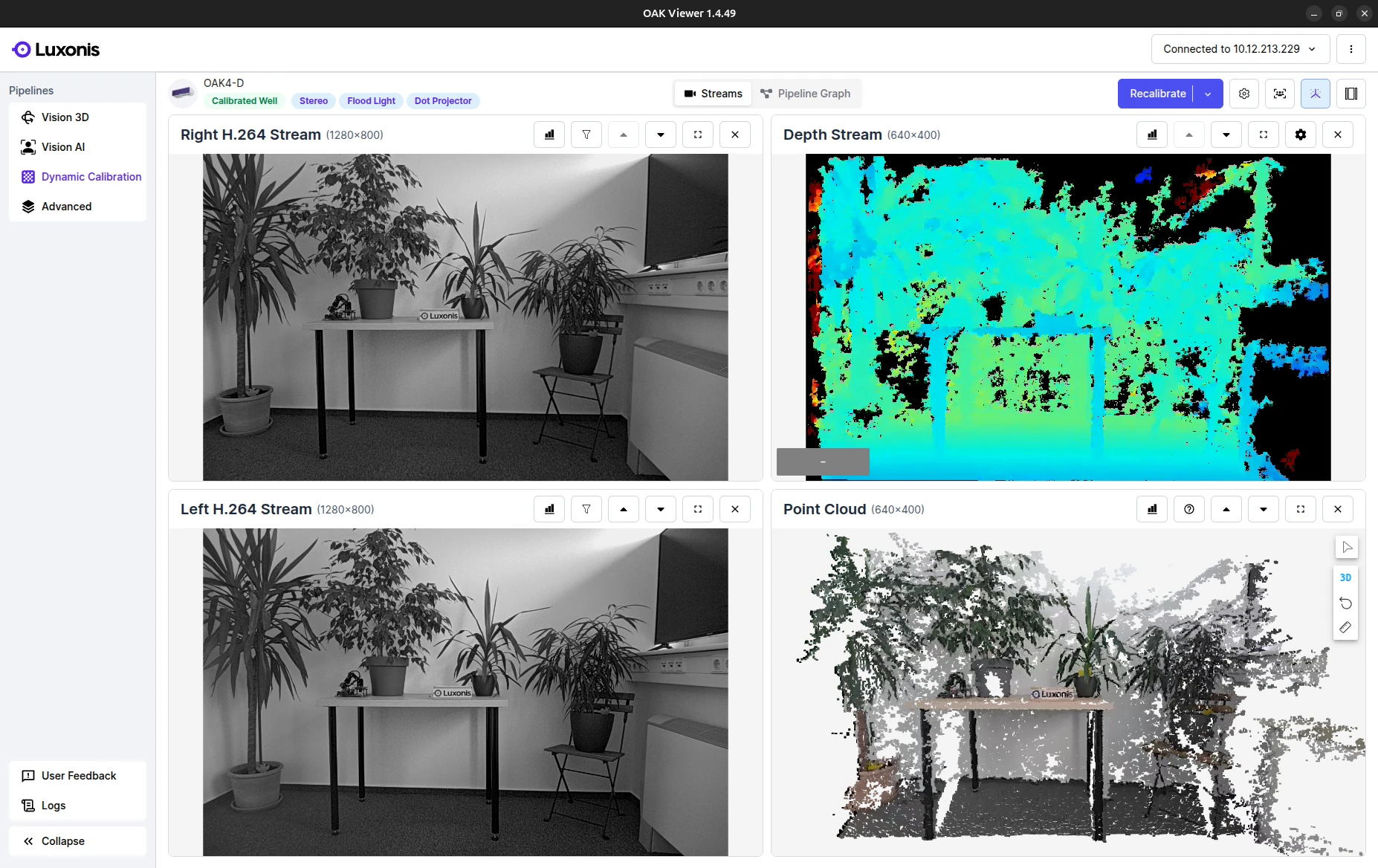
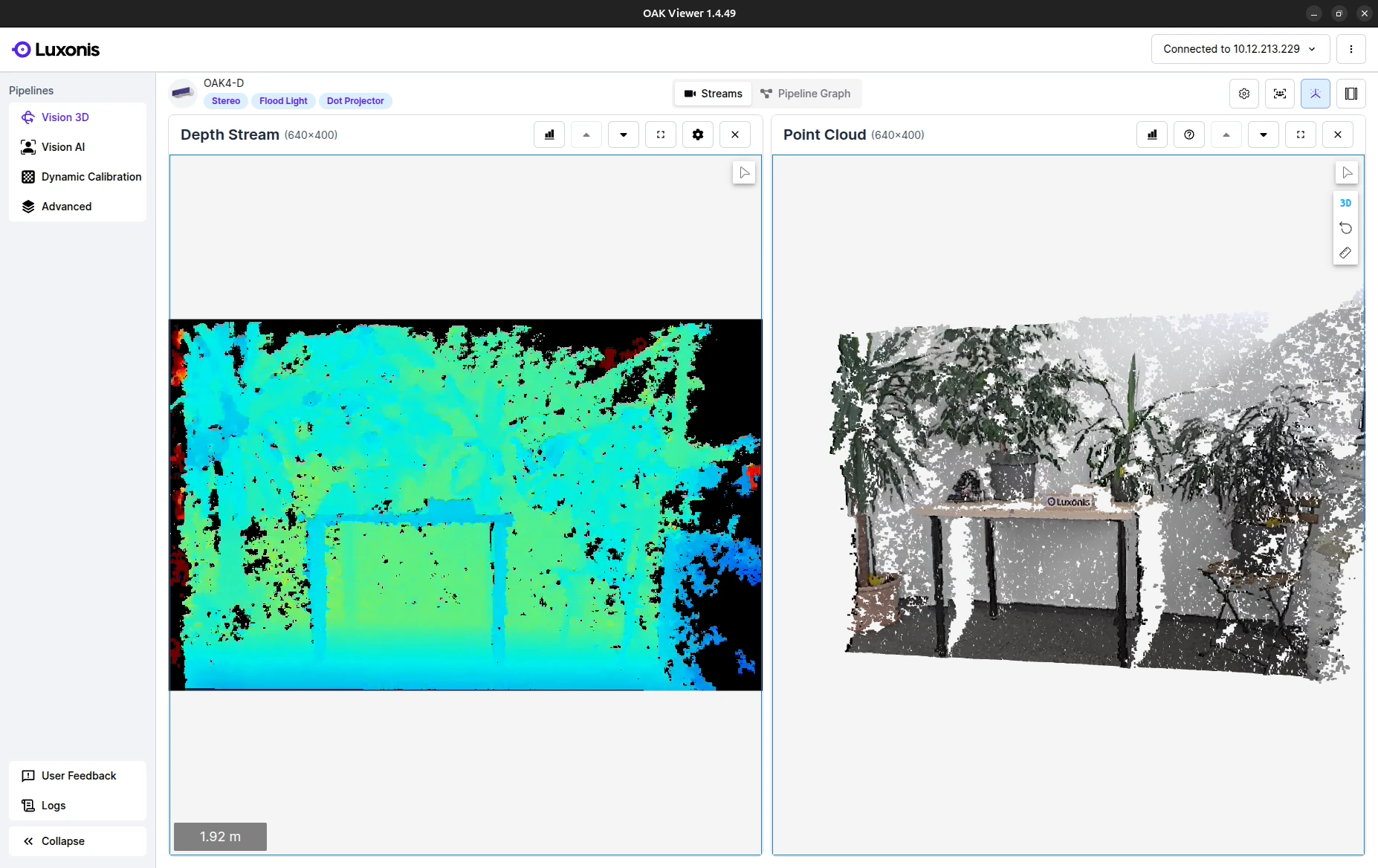
- Vision 3D:专注于主相机和点云的输出。
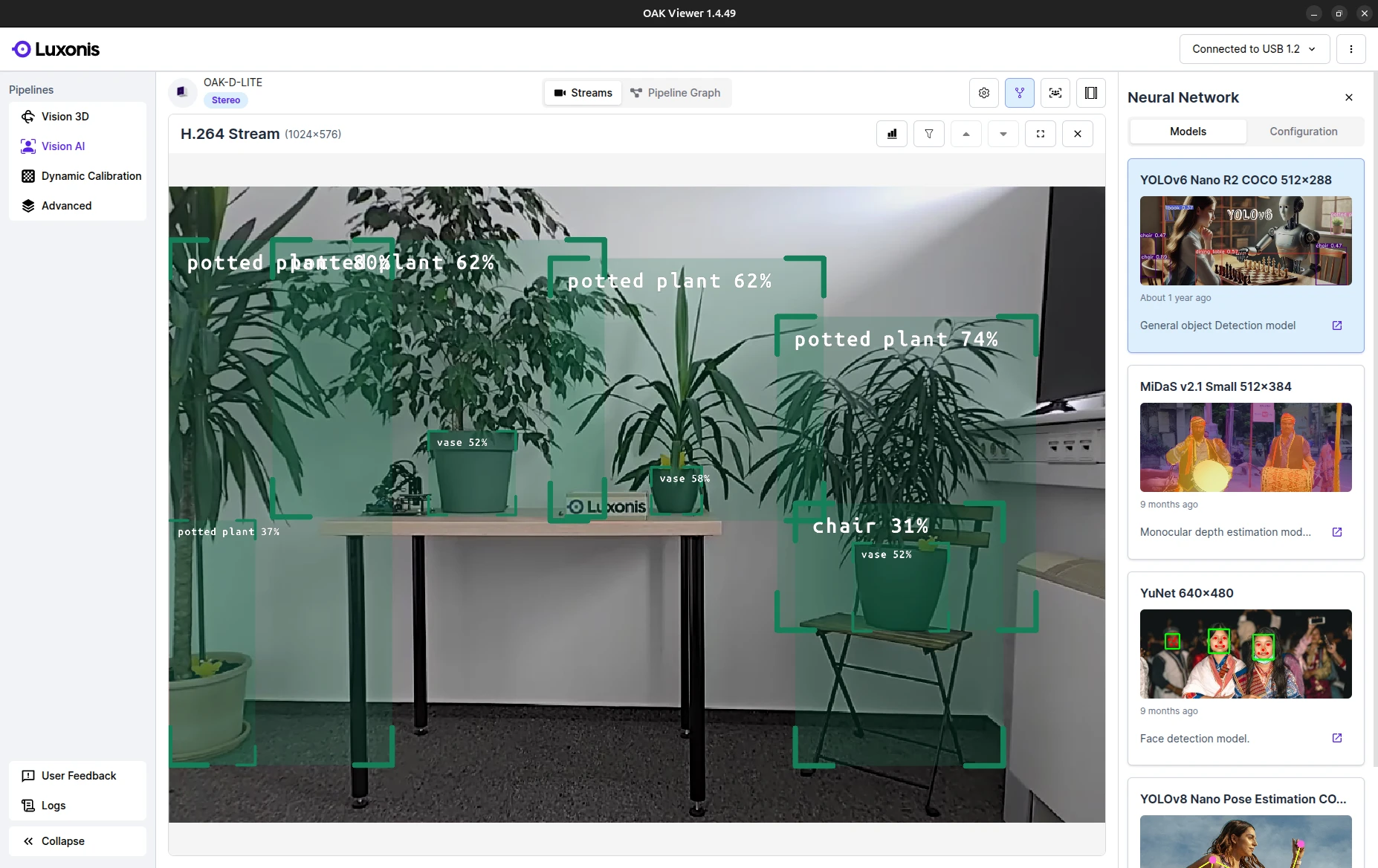
- Vision AI:专注于选定的神经网络 (NN) 模型及其注释的输出。
- Dynamic Calibration:您可以在此管道中为设备进行 重新校准。支持所有 OAK Series 2 全立体声系列(不包括 FFC)和 OAK Series 4 全立体声系列。了解更多。
- Advanced:允许深入配置所有功能并访问校准数据。
流和管道图
无法在 OAK Viewer 中上传自定义模型
OAK Viewer 仅支持 Luxonis Models Zoo 模型的一个选定子集。用户无法上传自定义模型或运行该子集之外的模型。请参阅 在 HubAI 上使用自定义模型 教程。
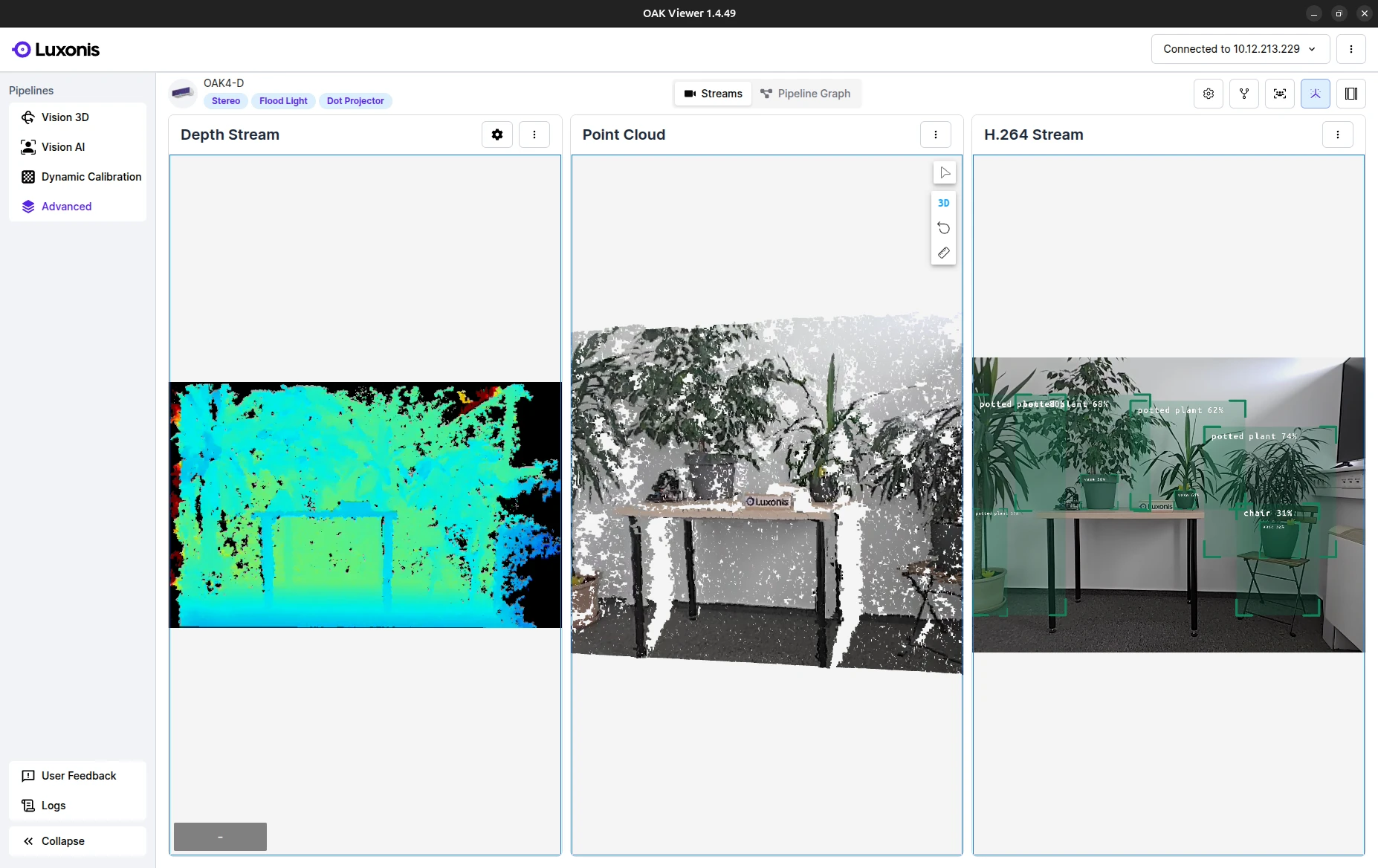
Advanced Pipeline 中的 Streams 功能
- Configuration: 允许配置传感器、立体深度和高级设置。
- Neural Network: 显示 Luxonis ZOO 中的 NN 模型列表,可以快速测试和配置。
- Streams: 根据当前配置显示设备上所有可用流的列表。
- Point Cloud: 基于深度数据并由 RGB 摄像头着色的实时点云。
- Panel Layout: 提供一种快速设置可见面板布局的方法。
Stream panel
- Camera: 根据配置请求的 FPS。
- Network: 通过网络传输的 FPS。
- Decoding: 在客户端解码的 FPS。
- Rendering: 在客户端渲染的 FPS。
故障排除设备发现
Device visible in oakctl, missing in OAK Viewer
oakctl list 和 OAK Viewer 在某些网络上可能存在分歧。oakctl 发现使用 mDNS,而 OAK Viewer 使用的 DepthAI 发现依赖于本地网络广播行为。- 更新到最新版本:
- 在主机上运行
oakctl self-update。 - 为摄像头运行
oakctl device update。
- 在主机上运行
- 验证主机和摄像头是否在同一子网中,并且您的网络未阻止广播流量。
- 检查主机上的防火墙规则:
- 允许
11491/udp用于发现。 - 允许
11490/tcp用于 XLink 连接。
- 允许
- 暂时禁用 VPN 并再次测试。
- 如果主机有多个接口(例如 Wi-Fi 和以太网),请设置路由,以便通过正确的接口访问摄像头子网。
Release Notes
Version 3.2.1 (June 8, 2026)
- Backported DepthAI version due to Windows and Mac issues.
- Reverted Point Cloud Alignment fix due.
Version 3.2.0 (June 8, 2026)
- Fixed Windows and MacOS start device issues.
Version 3.0.2 (June 5, 2026)
- Improved performance across the board.
- Improved point cloud precision & responsiveness.
- Improved error state handling, including cases where the app is already running or the device is offline.
- Fixed device disconnect handling.
- Added detection of insufficient device power.
- Several bug fixes and UI/UX improvements.
Version 2.5.2 (June 2, 2026)
- Improvements to stability and bugfixing.
Version 2.5.1 (May 27, 2026)
- Fix crashes when running with hardware acceleration enabled on macOS and Windows.
- Fix
oakctldependencies on Windows. - Improve error handling during OS update.
- Improve error handling for cameras without a color sensor.
Version 2.4.11 (May 25, 2026)
- RVC4 USB support
- Initial TOF support (RVC2 only)
- Expanded device support
- Stability improvements
- Neural Assisted Stereo (RVC4 only)
Version 1.6.3 (December 18, 2025)
- Includes oakctl 0.17.0, with more robust handling of device setup and adoption to Hub.
- Includes DAI 3.2.1 and DAI Nodes 0.3.6.
- Improvements to OTA update flows.
- Improved stream and annotation rendering performance.
- Error toasts are now properly displayed when configuration changes fail.
- Moved the distance slider to the top-right corner.
- Added a link to USB camera troubleshooting documentation.
Version 1.5.53 (December 8, 2025)
- Full support for OAK 4 device setup and adoption to Luxonis Hub, including migration to a different team when the device is already in Hub.
- Fixed video encoder issues on Windows, resolving green stripe artifacts.
- Fixed issues with loading information about connected devices.
- Fixed connection issues when multiple devices are present.
- Improved UI responsiveness across different resolutions and corrected the positioning of info toasts.
- Corrected Flood Light and Dot Projector badges for OAK 4 D.
- Improved Neural Depth configuration.
- Includes Visualizer 2.68.8 (Improved responsiveness, Better NV12 decoding, Ability to change the point cloud camera).
- Fixed the toast shown when another application is already running on OAK 4.