DepthAI ROS驱动程序
depthai_ros_driver包中的可执行文件。这会将您的摄像头作为ROS2组件/ROS节点运行,并允许您使用ROS参数自定义摄像头。ROS2和ROS1之间的主要API区别在于参数名称的约定不同——ROS2中的参数使用.进行命名空间划分,而ROS1中使用_进行命名空间划分。例如,在ROS2中是camera.i_pipeline_type,在ROS1中是camera_i_pipeline_type。为简单起见,本README使用ROS2约定。所有可用参数及其默认值的列表可以在README底部找到。以r_开头的参数可以在运行时自由修改,例如使用rqt。以i_开头的参数在摄像头初始化时设置,要更改它们,您需要调用stop和start服务。这可用于在运行时热插拔NN、更改分辨率等。启动文件
camera.launch.py以RGBD模式启动摄像头,并以空间(Mobilenet)模式启动NN。rgbd_pcl.launch.py以基本的RGBD配置启动摄像头,不加载任何NN。还加载用于RGBD点云的ROS深度处理节点。example_multicam.launch.py同时启动多个摄像头,每个摄像头在不同的容器中。编辑config目录中的multicam_example.yaml配置文件以更改参数。example_segmentation.launch.py以RGBD +语义分割模式启动摄像头(管道类型=RGBD,NN类型=rgb)。pointcloud.launch.py- 类似于rgbd_pcl.launch.py,但不使用RGB组件进行点云处理。example_marker_publish.launch.py启动camera.launch.py+一个小的python节点,该节点将检测到的对象作为标记/tf发布。rtabmap.launch.py启动摄像头和RTAB-MAP RGBD SLAM(您需要先安装它 -sudo apt install ros-$ROS_DISTRO-rtabmap-ros)。您可能需要在此处通过参数设置手动对焦。
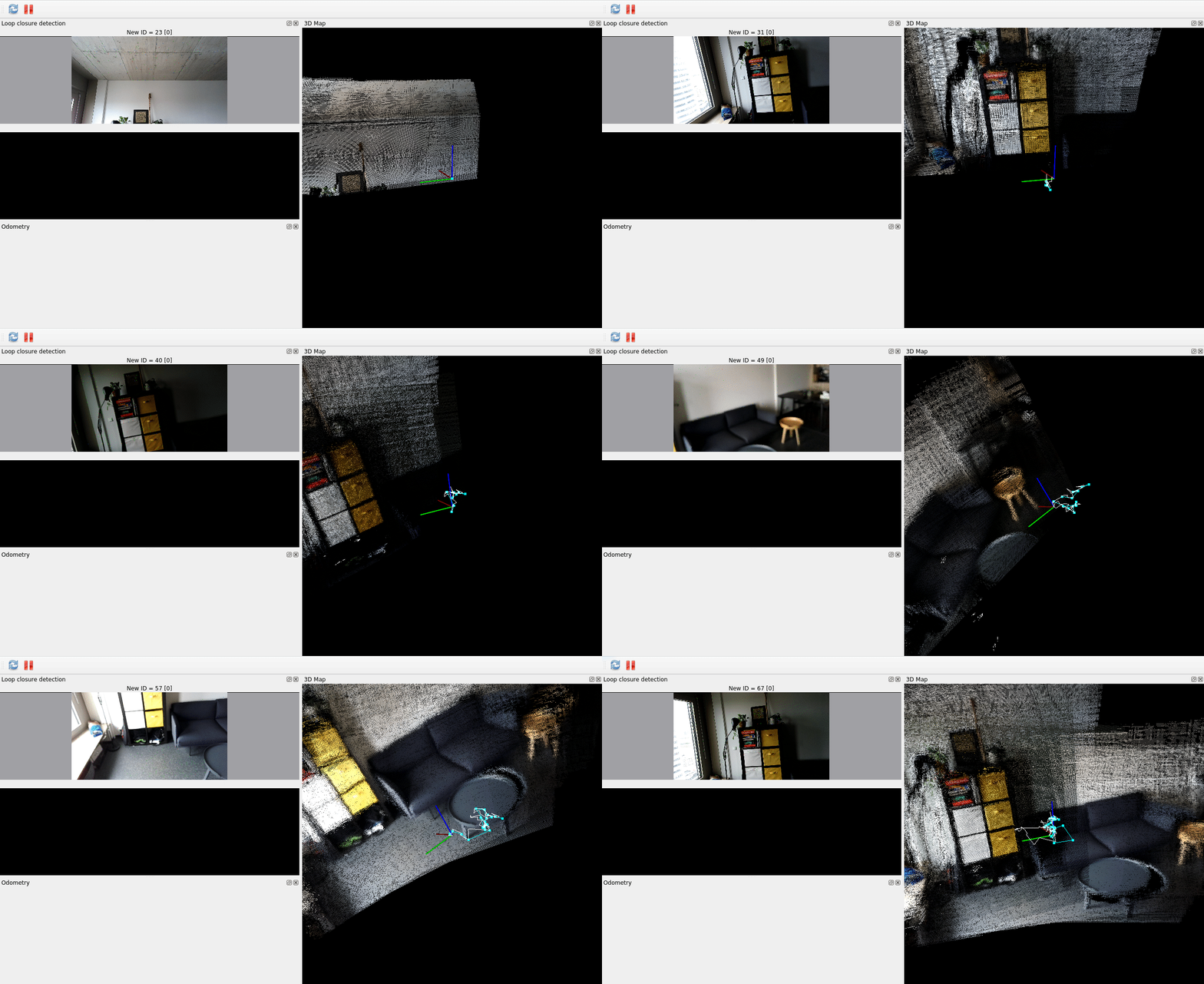
ros2 launch depthai_ros_driver camera.launch.py(ROS2)roslaunch depthai_ros_driver camera.launch(ROS1)
从外参发布TF
depthai_bridge中的TFPublisher类来覆盖,该类基于设备的相机校准数据重新发布带有更新信息的描述。要在depthai_ros_driver中启用此行为,您可以使用以下参数:camera.i_publish_tf_from_calibration- 将此设置为true将启动TFPublisher。
camera.i_tf_camera_name- 如果未设置,则默认为节点名称。camera.i_tf_camera_model- 如果未设置,则会自动检测。如果节点无法检测到摄像头的STL文件,则设置为OAK-D。要在camera.launch.py中显式设置,请设置override_cam_model:=true。camera.i_tf_base_framecamera.i_tf_parent_framecamera.i_tf_cam_pos_xcamera.i_tf_cam_pos_ycamera.i_tf_cam_pos_zcamera.i_tf_cam_rollcamera.i_tf_cam_pitchcamera.i_tf_cam_yaw
camera.launch.py时,您可以设置pass_tf_args_as_params:=true,以便TF参数用于填充这些参数。例如 ros2 launch depthai_ros_driver camera.launch.py pass_tf_args_as_params:=true parent_frame:=map cam_pos_x:=1.0 imu_from_descr:=true还可以使用camera.i_tf_custom_urdf_path和camera.i_tf_custom_xacro_args设置自定义URDF路径(目前仅支持绝对路径)和自定义xacro参数。请注意,robot_state_publisher必须正在运行。关于外参的说明
如果您的摄像头具有未校准的IMU,将显示警告,并且IMU将以零旋转和零平移发布。您可以通过设置
camera.i_tf_imu_from_descr: true来覆盖此行为。这将发布基于摄像头模型的URDF中的默认IMU外参。可用传感器及其分辨率:
- IMX378 - {"12MP", "4K", "1080P"},默认1080P
- OV9282 - {"800P", "720P", "400P"},默认800P
- OV9782 - {"800P", "720P", "400P"},默认800P
- OV9281 - {"800P", "720P", "400P"},默认800P
- IMX214 - {"13MP", "12MP", "4K", "1080P"},默认1080P
- IMX412 - {"13MP", "12MP", "4K", "1080P"},默认1080P
- OV7750 - {"480P", "400P"},默认480P
- OV7251 - {"480P", "400P"},默认480P
- IMX477 - {"12MP", "4K", "1080P"},默认1080P
- IMX577 - {"12MP", "4K", "1080P"},默认1080P
- AR0234 - {"1200P"},默认1200P
- IMX582 - {"48MP", "12MP", "4K"},默认4K
- LCM48 - {"48MP", "12MP", "4K"},默认4K
设置 RGB 参数
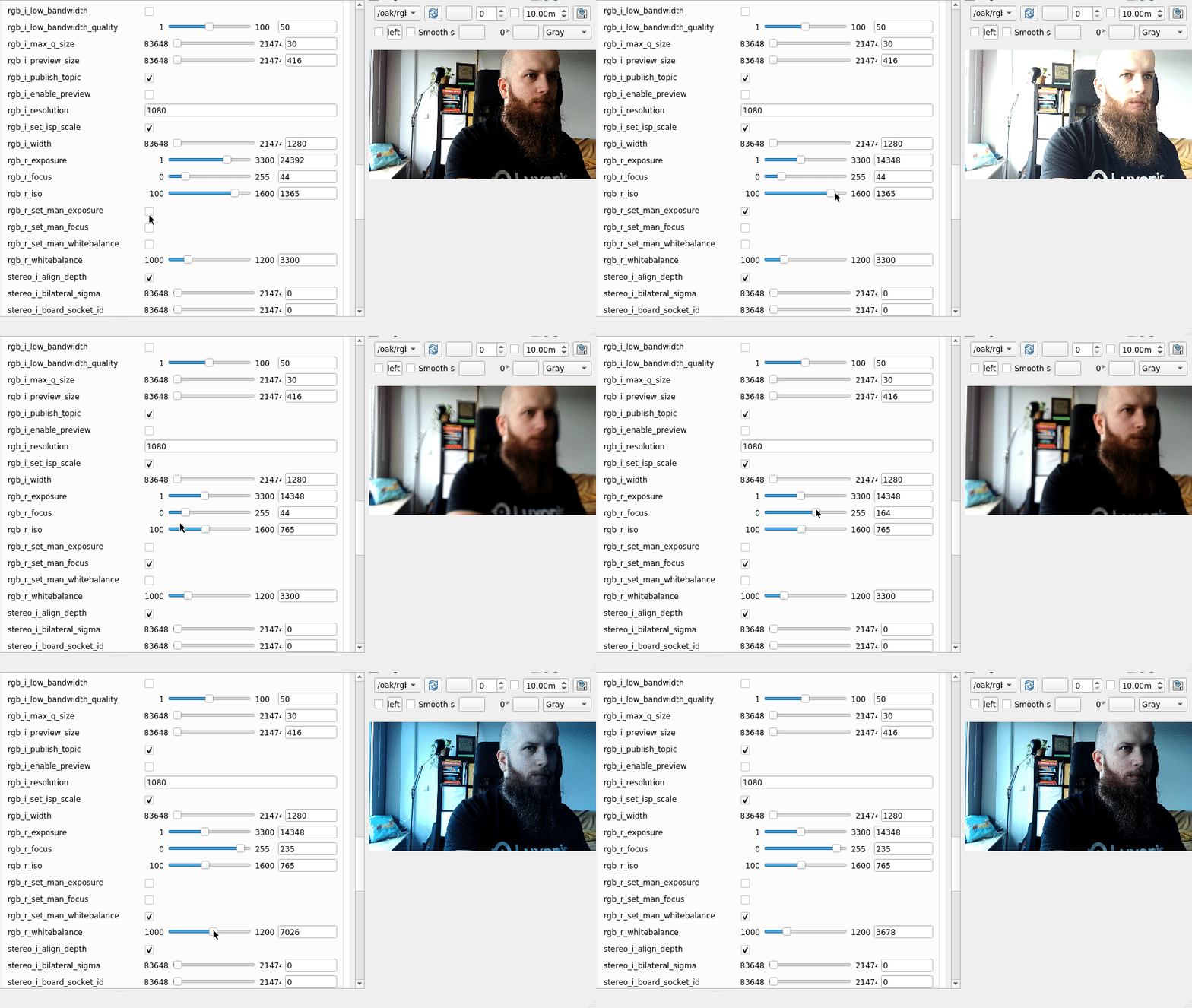
ISP 帧。要设置输出图像的自定义宽度和高度,您可以设置 i_isp_num 和 i_isp_den 来缩放图像尺寸(默认为 2 和 3,因此从 1920x1080 到 1280x720),请注意,为了使 RGBD 对齐正常工作, 生成的宽度和高度必须能被 16 整除。此外,您可以设置 i.output_isp: false 来使用 video 输出并通过 i_width 和 i_height 参数设置自定义尺寸。设置 Stereo 参数
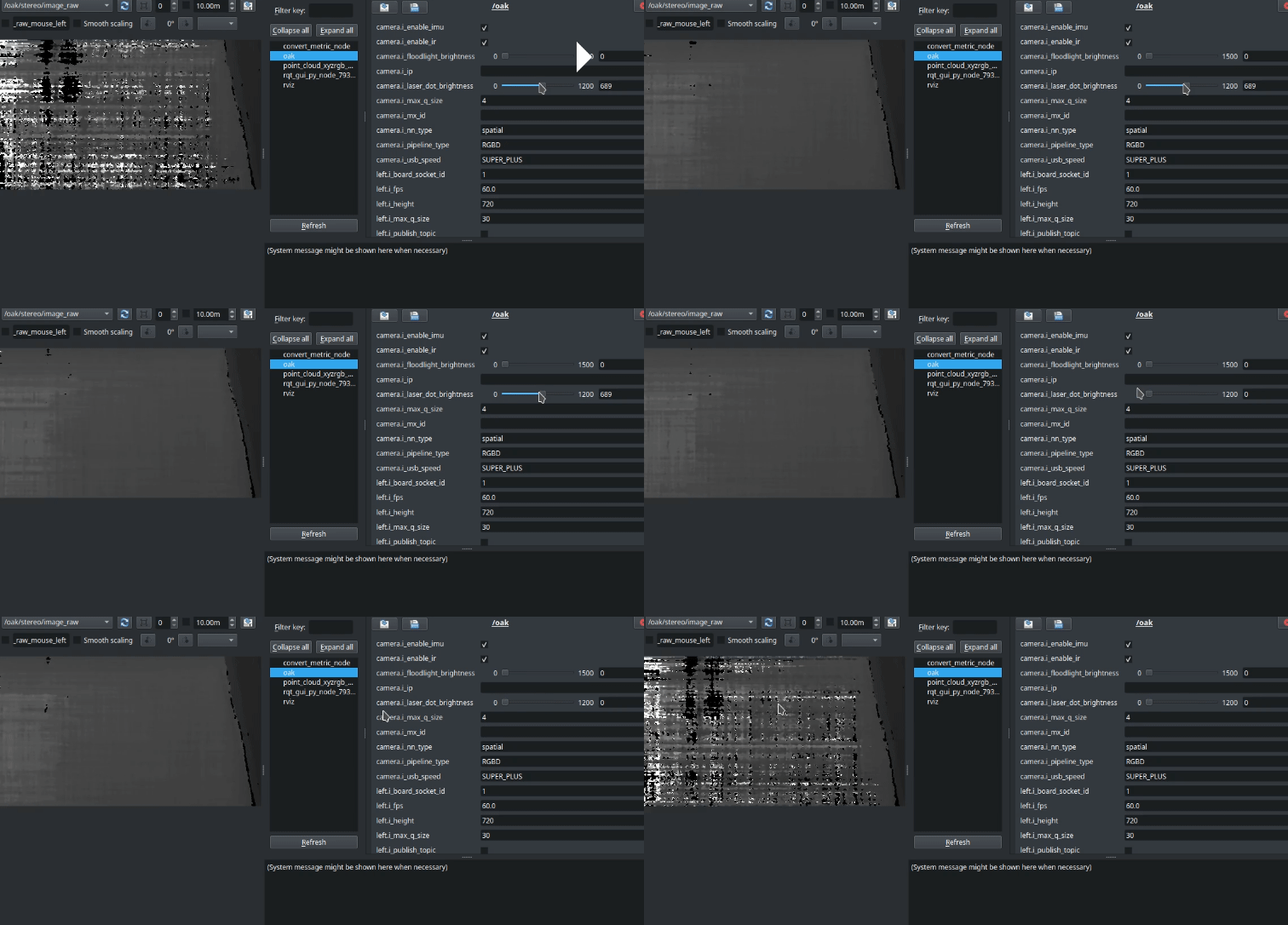
深度对齐
stereo.i_align_depth: true 时,立体输出将对齐到由 stereo.i_board_socket_id 参数(默认为 0/CAM_A)指定的 板载插槽。您可以通过设置来启用校正后的立体流,例如在右侧流的情况下设置 `i_publish_right要实现这一点,您可以创建一个自定义包(例如 test_plugins),在该包中创建一个可执行文件(test_plugins.cpp)。在该文件中,定义一个继承自 depthai_ros_driver::pipeline_gen::BasePipeline 并重写 createPipeline 方法的自定义插件。之后导出插件,例如:C
1#include <pluginlib /class_list_macros.hpp>
2 PLUGINLIB_EXPORT_CLASS(test_plugins::Test, depthai_ros_driver::pipeline_gen::BasePipeline)Xml
1<library path="test_plugins">
2    <class type="test_plugins::Test" base_class_type="depthai_ros_driver::pipeline_gen::BasePipeline">
3      <description>Test Pipeline.</description>
4    </class>
5 </library>camera.i_pipeline_type 设置为 test_plugins::Test。神经网络
camera 参数进行控制:camera.i_nn_type可以是none、rgb或spatial。这决定了我们加载的神经网络是否应包含深度信息(例如,以 3D 格式提供检测)。默认设置为spatialcamera.i_mx_id/camera.i_ip/camera.i_usb_port_id用于连接到特定摄像头。如果未设置,它会自动连接到下一个可用设备。您可以通过运行默认启动文件从日志中获取这些参数。nn.i_nn_config_path表示指向包含要加载的神经网络类型及其参数信息的 JSON 文件的路径。目前我们提供加载 MobileNet、Yolo 和 Segmentation(非 spatial)模型的选项。要查看它们的示例配置,请导航至depthai_ros_driver/config/nn。默认为depthai_ros_driver中的mobilenet.json
depthai_ros_driver/segmentationdepthai_ros_driver/mobilenetdepthai_ros_driver/yolo
sensor_name.i_enable_nn 设置为 true 来选择在特定传感器上运行神经网络。之后,您可以类似地将 sensor_name_nn.i_nn_config_path 设置为配置文件路径。 您还可以为 Stereo 节点设置 spatial 神经网络,并使用其左/右流之一作为 RGB 输入。这可以在具有 RGB 侧传感器的摄像头(如 OAK-D-SR 和 OAK-D-LR)上启用。设置方式也类似:stereo.i_enable_spatial_nn- 设置为true以启用 spatial 神经网络stereo.i_spatial_nn_source- 设置为left或right以选择将哪个传感器用作神经网络的 RGB 输入stereo_nn.i_nn_config_path- spatial 神经网络的配置文件路径
depthai_ros_driver/config/camera.yaml 中找到。同步
pipeline_gen: i_enable_sync: true,例如 rgb.i_synced: true 和 stereo.i_synced: true。 此示例配置在运行 camera.launch.py 并带有 pointcloud.enable:=true 参数时应用。特定摄像头配置
PoE 摄像头
subpixel 深度过滤。要启用 low_bandwidth,例如对于 RGB 摄像头,请更改参数:rgb.i_low_bandwidth- 设置为true以启用rgb.i_low_bandwidth_quality- 所需的质量百分比(默认为 50) 有关所有流的示例参数,请参阅low_bandwidth.yaml文件。
ToF 摄像头
sr_poe_rgbd_pcl.launch.py。 这还利用了 OAK-D-SR 的特定流水线配置,您可以在上方找到有关流水线类型的更多信息。 请注意,由于传感器插槽命名约定,ToF 摄像头目前以 rgb 帧发布图像。Realsense 兼容性
camera.launch.py 并带有 rs_compat:=true 参数来模拟 Realsense 摄像机的行为。 这将使用 RGBD 流水线设置摄像头,并发布与 Realsense 摄像头兼容的名称主题。 TF 帧也将以 Realsense 格式提供。与 RS 节点的工作方式类似,您可以通过 pointcloud.enable:=true 参数启用点云发布。 请注意,驱动程序将以不同的名称和命名空间以及不同的 DAI 节点名称启动,因此您可能需要相应地调整配置文件。 命名约定如下:- 命名空间:
''->camera - 节点名称:
oak->camera rgb->colorstereo->depth- 'left' ->
infra_2 - 'right' ->
infra_1 - 帧
oak->camera_link
示例
Python
1# 示例包含 RealSense 驱动程序
2rs_camera_launch_include = IncludeLaunchDescription(
3  PythonLaunchDescriptionSource([
4      PathJoinSubstitution([
5          FindPackageShare('realsense2_camera'),
6          'launch',
7          'rs_launch.py',
8      ])
9  ]),
10  launch_arguments={
11      'pointcloud.enable': true,
12  }.items()
13)Python
1# 示例包含 OAK 驱动程序
2oak_camera_launch_include = IncludeLaunchDescription(
3  PythonLaunchDescriptionSource([
4      PathJoinSubstitution([
5          FindPackageShare('depthai_ros_driver'),
6          'launch',
7          'camera.launch.py',
8      ])
9  ]),
10  launch_arguments={
11      'rs_compat': true,
12      'pointcloud.enable': true,
13  }.items()
14)RTABMap 示例与 RealSense 兼容性
rtabmap_ros 包中的一个示例 realsense_d435i_color.launch.py。 注意 此示例在当前时间(2024-08-27)需要根据 RS topic 名称进行调整,如下所示:之前
Python
1remappings=[
2('imu', '/imu/data'),
3('rgb/image', '/camera/color/image_raw'),
4('rgb/camera_info', '/camera/color/camera_info'),
5('depth/image', '/camera/realigned_depth_to_color/image_raw')]
之后
Python
1remappings=[
2('imu', '/imu/data'),
3('rgb/image', '/camera/camera/color/image_raw'),
4('rgb/camera_info', '/camera/camera/color/camera_info'),
5('depth/image', '/camera/camera/depth/image_rect_raw')]Command Line
1ros2 launch realsense2_camera rs_launch.py enable_gyro:=true enable_accel:=true unite_imu_method:=1 enable_sync:=trueCommand Line
1ros2 launch depthai_ros_driver camera.launch.py rs_compat:=truedepthai_ros_driver 包中的 rtabmap.launch.py 示例来运行带 OAK 相机的 RTABMap。您也可以对其进行少量修改以启用此示例的 RS 模式。重新校准
- 使用每个图像流可用的
set_camera_info服务 - 使用可指向校准文件的
i_calibration_file参数。注意 相机名称必须以/开头,例如/rgb。请参阅depthai_ros_driver/config/calibration获取示例校准文件。 提供了calibration.launch文件来启动单目和立体配置下的 ROS 相机校准器节点。 校准文件语法(来自camera_info_manager):
Yaml
1- file:///full/path/to/local/file.yaml
2- file:///full/path/to/videre/file.ini
3- package://camera_info_manager/tests/test_calibration.yaml
4- package://ros_package_name/calibrations/camera3.yaml
使用外部源进行 NN 推理或立体深度计算
示例场景
- 我们想基于 usb 相机节点发布的图像获取分割或 2D 检测输出。 可以通过将
rgb.i_simulate_from_topic参数设置为true来实现。这将创建一个sensor_msgs/Image订阅器,默认监听/<node_name>/rgb/inputtopic,并在每次回调时将数据传递到管道。 Topic 名称可以通过经典的 ROS topic 重映射或将rgb.i_simulated_topic_name设置为 所需的名称来更改。 默认情况下,原始传感器节点仍然运行并发布数据。将rgb.i_disable_node设置为 true 将阻止其 启动。请参阅depthai_filters中的det2d_usb_cam_overlay.launch.py以查看实际效果。 - 计算深度 -
left和right传感器节点都可以如上例所示进行设置,以从外部 topic 计算 深度/视差。请注意,要使其正常工作,您需要指定:
left.i_board_socket_id: 1right.i_board_socket_id: 2- 默认立体输入尺寸设置为 1280x720,如果图像尺寸不同,则要设置自定义尺寸,请设置
stereo.i_set_input_size: true并相应地调整stereo.i_input_width和stereo.i_input_height。 - 使用
camera.i_external_calibration_path参数指定外部校准文件路径。要从设备获取校准,您可以设置camera.i_calibration_dump为 true 或调用save_calibration服务。校准将保存到/tmp/<mx_id>_calibration.json。 可以在depthai_ros_driver中的stereo_from_rosbag.launch.py中看到一个示例。
开发人员指南
- 创建单独的工作区
- 将存储库克隆到 src
- 将
.devcontainer目录复制到主工作区目录 - 在 VSCode 中打开工作区目录
参数列表
Yaml
1/oak:
2ros__parameters:
3  camera:
4    i_calibration_dump: false
5    i_enable_diagnostics: true
6    i_enable_ir: true
7    i_enable_sync: false
8    i_external_calibration_path: ""
9    i_floodlight_brightness: 0
10    i_ip: ""
11    i_laser_dot_brightness: 800
12    i_mx_id: ""
13    i_nn_type: none
14    i_pipeline_dump: false
15    i_pipeline_type: RGBD
16    i_publish_tf_from_calibration: false
17    i_restart_on_diagnostics_error: false
18    i_rs_compat: false
19    i_tf_base_frame: oak
20    i_tf_cam_pitch: "0.0"
21    i_tf_cam_pos_x: "0.0"
22    i_tf_cam_pos_y: "0.0"
23    i_tf_cam_pos_z: "0.0"
24    i_tf_cam_roll: "0.0"
25    i_tf_cam_yaw: "0.0"
26    i_tf_camera_model: ""
27    i_tf_camera_name: oak
28    i_tf_custom_urdf_location: ""
29    i_tf_custom_xacro_args: ""
30    i_tf_imu_from_descr: "false"
31    i_tf_parent_frame: oak-d-base-frame
32    i_usb_port_id: ""
33    i_usb_speed: SUPER_PLUS
34    diagnostic_updater:
35    period: 1.0
36  pipeline_gen:
37    i_enable_diagnostics: true
38    i_enable_imu: true
39    i_enable_sync: false
40  imu:
41    i_acc_cov: 0.0
42    i_acc_freq: 400
43    i_batch_report_threshold: 5
44    i_enable_rotation: false
45    i_get_base_device_timestamp: false
46    i_gyro_cov: 0.0
47    i_gyro_freq: 400
48    i_mag_cov: 0.0
49    i_max_batch_reports: 10
50    i_message_type: IMU
51    i_rot_cov: -1.0
52    i_sync_method: LINEAR_INTERPOLATE_ACCEL
53    i_update_ros_base_time_on_ros_msg: false
54  left:
55    i_add_exposure_offset: false
56    i_board_socket_id: 1
57    i_calibration_file: ""
58    i_disable_node: false
59    i_enable_feature_tracker: false
60    i_enable_lazy_publisher: true
61    i_enable_nn: false
62    i_exposure_offset: 0
63    i_fps: 30.0
64    i_fsync_continuous: false
65    i_fsync_trigger: false
66    i_get_base_device_timestamp: false
67    i_height: 720
68    i_low_bandiwdth_frame_freq: 30
69    i_low_bandwidth: false
70    i_low_bandwidth_bitrate: 0
71    i_low_bandwidth_ffmpeg_encoder: libx264
72    i_low_bandwidth_profile: 4
73    i_low_bandwidth_quality: 50
74    i_max_q_size: 30
75    i_publish_compressed: false
76    i_publish_topic: false
77    i_resolution: 720P
78    i_reverse_stereo_socket_order: false
79    i_sensor_img_orientation: AUTO
80    i_set_isp3a_fps: false
81    i_simulate_from_topic: false
82    i_simulated_topic_name: ""
83    i_synced: false
84    i_update_ros_base_time_on_ros_msg: false
85    i_width: 1280
86    r_exposure: 1000
87    r_iso: 800
88    r_set_man_exposure: false
89  nn:
90    i_board_socket_id: 0
91    i_disable_resize: false
92    i_enable_passthrough: false
93    i_enable_passthrough_depth: false
94    i_get_base_device_timestamp: false
95    i_num_inference_threads: 2
96    i_num_pool_frames: 4
97    i_update_ros_base_time_on_ros_msg: false
98  rgb:
99    i_add_exposure_offset: false
100    i_board_socket_id: 0
101    i_calibration_file: ""
102    i_disable_node: false
103    i_enable_feature_tracker: false
104    i_enable_lazy_publisher: true
105    i_enable_nn: false
106    i_enable_preview: false
107    i_exposure_offset: 0
108    i_fps: 30.0
109    i_fsync_continuous: false
110    i_fsync_trigger: false
111    i_get_base_device_timestamp: false
112    i_height: 720
113    i_interleaved: false
114    i_isp_den: 3
115    i_isp_num: 2
116    i_keep_preview_aspect_ratio: true
117    i_low_bandiwdth_frame_freq: 30
118    i_low_bandwidth: true
119    i_low_bandwidth_bitrate: 0
120    i_low_bandwidth_ffmpeg_encoder: libx264
121    i_low_bandwidth_profile: 4
122    i_low_bandwidth_quality: 50
123    i_max_q_size: 30
124    i_output_isp: true
125    i_preview_height: 300
126    i_preview_size: 300
127    i_preview_width: 300
128    i_publish_compressed: false
129    i_publish_topic: true
130    i_resolution: 1080P
131    i_reverse_stereo_socket_order: false
132    i_sensor_img_orientation: AUTO
133    i_set_isp3a_fps: false
134    i_set_isp_scale: true
135    i_simulate_from_topic: false
136    i_simulated_topic_name: ""
137    i_synced: false
138    i_update_ros_base_time_on_ros_msg: false
139    i_width: 1280
140    r_exposure: 20000
141    r_focus: 1
142    r_iso: 800
143    r_set_man_exposure: false
144    r_set_man_focus: false
145    r_set_man_whitebalance: false
146    r_whitebalance: 3300
147  right:
148    i_add_exposure_offset: false
149    i_board_socket_id: 2
150    i_calibration_file: ""
151    i_disable_node: false
152    i_enable_feature_tracker: false
153    i_enable_lazy_publisher: true
154    i_enable_nn: false
155    i_exposure_offset: 0
156    i_fps: 30.0
157    i_fsync_continuous: false
158    i_fsync_trigger: false
159    i_get_base_device_timestamp: false
160    i_height: 720
161    i_low_bandiwdth_frame_freq: 30
162    i_low_bandwidth: false
163    i_low_bandwidth_bitrate: 0
164    i_low_bandwidth_ffmpeg_encoder: libx264
165    i_low_bandwidth_profile: 4
166    i_low_bandwidth_quality: 50
167    i_max_q_size: 30
168    i_publish_compressed: false
169    i_publish_topic: false
170    i_resolution: 720P
171    i_reverse_stereo_socket_order: false
172    i_sensor_img_orientation: AUTO
173    i_set_isp3a_fps: false
174    i_simulate_from_topic: false
175    i_simulated_topic_name: ""
176    i_synced: false
177    i_update_ros_base_time_on_ros_msg: false
178    i_width: 1280
179    r_exposure: 1000
180    r_iso: 800
181    r_set_man_exposure: false
182
183  stereo:
184    i_add_exposure_offset: false
185    i_align_depth: true
186    i_bilateral_sigma: 0
187    i_board_socket_id: 0
188    i_depth_filter_size: 5
189    i_depth_preset: HIGH_ACCURACY
190    i_disparity_width: DISPARITY_96
191    i_enable_alpha_scaling: false
192    i_alpha_scaling: 0.0
193    i_enable_brightness_filter: false
194    i_brightness_filter_min_brightness: 0
195    i_brightness_filter_max_brightness: 256
196    i_enable_companding: false
197    i_enable_decimation_filter: false
198    i_decimation_filter_decimation_mode: PIXEL_SKIPPING
199    i_decimation_filter_decimation_factor: 1
200    i_enable_disparity_shift: false
201    i_disparity_shift: 0
202    i_enable_distortion_correction: false
203    i_enable_lazy_publisher: true
204    i_enable_spatial_filter: false
205    i_spatial_filter_hole_filling_radius: 2
206    i_spatial_filter_alpha: 0.5
207    i_spatial_filter_delta: 20
208    i_spatial_filter_iterations: 1
209    i_enable_spatial_nn: false
210    i_enable_speckle_filter: false
211    i_speckle_filter_speckle_range: 50
212    i_enable_temporal_filter: false
213    i_temporal_filter_alpha: 0.4
214    i_temporal_filter_delta: 20
215    i_temporal_filter_persistency: VALID_2_IN_LAST_4
216    i_enable_threshold_filter: false
217    i_threshold_filter_min_range: 400
218    i_threshold_filter_max_range: 15000
219    i_exposure_offset: 0
220    i_extended_disp: false
221    i_get_base_device_timestamp: false
222    i_height: 720
223    i_left_rect_add_exposure_offset: false
224    i_left_rect_enable_feature_tracker: false
225    i_left_rect_exposure_offset: 0
226    i_left_rect_low_bandwidth: false
227    i_left_rect_low_bandwidth_bitrate: 0
228    i_left_rect_low_bandwidth_ffmpeg_encoder: libx264
229    i_left_rect_low_bandwidth_frame_freq: 30
230    i_left_rect_low_bandwidth_profile: 4
231    i_left_rect_low_bandwidth_quality: 50
232    i_left_rect_publish_compressed: false
233    i_left_rect_synced: true
234    i_left_socket_id: 1
235    i_low_bandwidth: false
236    i_low_bandwidth_bitrate: 0
237    i_low_bandwidth_ffmpeg_encoder: libx264
238    i_low_bandwidth_profile: 4
239    i_low_bandwidth_quality: 50
240    i_lr_check: true
241    i_lrc_threshold: 10
242    i_max_q_size: 30
243    i_output_disparity: false
244    i_publish_left_rect: false
245    i_publish_right_rect: false
246    i_publish_synced_rect_pair: false
247    i_publish_topic: true
248    i_rectify_edge_fill_color: 0
249    i_reverse_stereo_socket_order: false
250    i_right_rect_add_exposure_offset: false
251    i_right_rect_enable_feature_tracker: false
252    i_right_rect_exposure_offset: 0
253    i_right_rect_low_bandwidth: false
254    i_right_rect_low_bandwidth_bitrate: 0
255    i_right_rect_low_bandwidth_ffmpeg_encoder: libx264
256    i_right_rect_low_bandwidth_frame_freq: 30
257    i_right_rect_low_bandwidth_profile: 4
258    i_right_rect_low_bandwidth_quality: 50
259    i_right_rect_publish_compressed: false
260    i_right_rect_synced: true
261    i_right_socket_id: 2
262    i_set_disparity_to_depth_use_spec_translation: false
263    i_set_input_size: false
264    i_socket_name: rgb
265    i_spatial_nn_source: right
266    i_stereo_conf_threshold: 240
267    i_subpixel: true
268    i_subpixel_fractional_bits: 3
269    i_synced: false