SpatialLocationCalculator
inputDepth 的 depth 图计算 ROI(感兴趣区域)的空间坐标。它将对 ROI 中的深度值进行平均并移除超出范围的值。您也可以在主机端计算空间坐标,演示在此。 该演示还包含了设备上执行的相同逻辑(calc.py 文件)。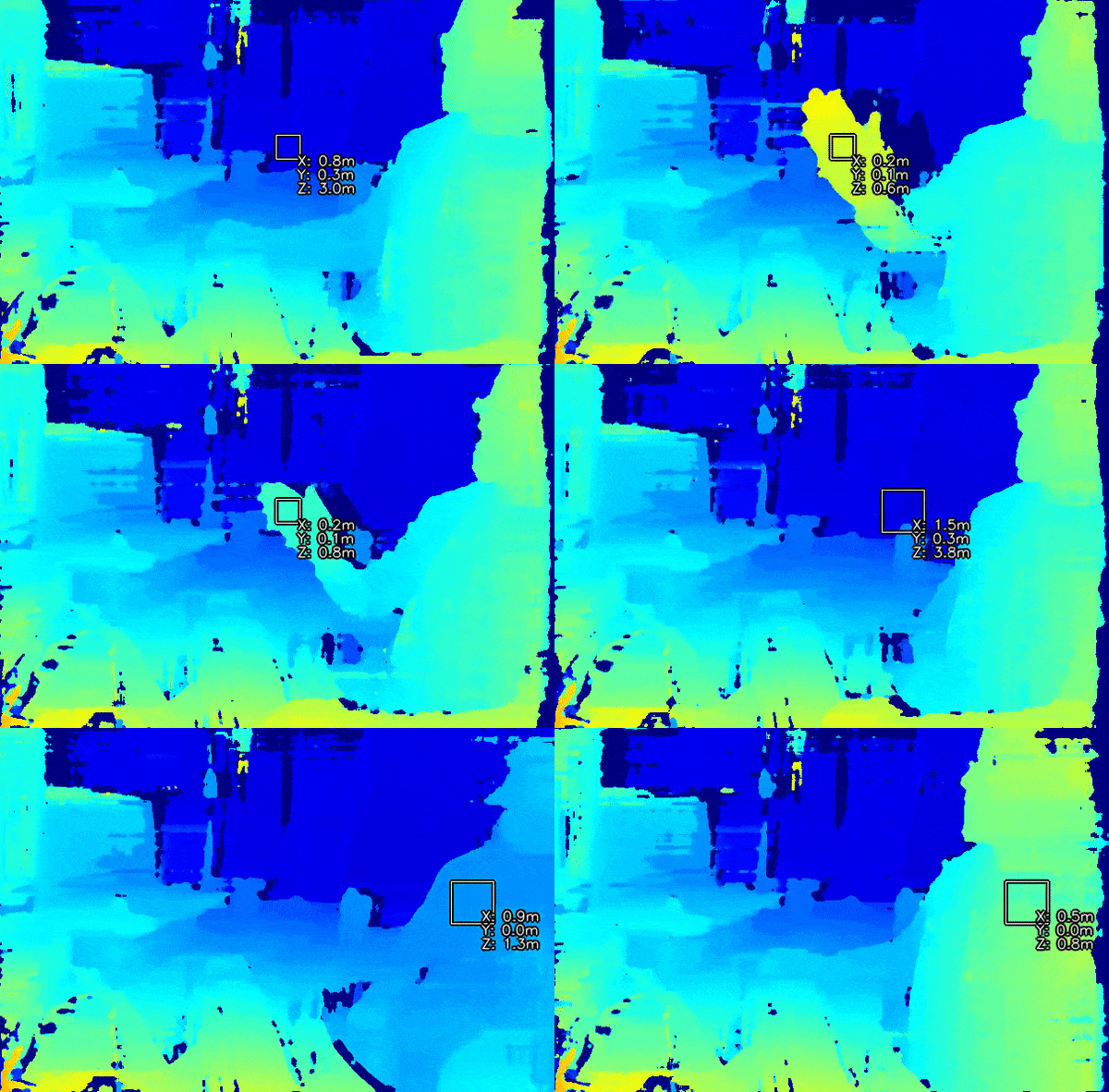
如何放置它
Python
Python
1pipeline = dai.Pipeline()
2spatialCalc = pipeline.create(dai.node.SpatialLocationCalculator)输入和输出
用法
Python
Python
1pipeline = dai.Pipeline()
2spatialCalc = pipeline.create(dai.node.SpatialLocationCalculator)
3spatialCalc.setWaitForConfigInput(False)
4
5# 设置初始配置
6config = dai.SpatialLocationCalculatorConfigData()
7config.depthThresholds.lowerThreshold = 100
8config.depthThresholds.upperThreshold = 10000
9
10topLeft = dai.Point2f(0.4, 0.4)
11bottomRight = dai.Point2f(0.6, 0.6)
12config.roi = dai.Rect(topLeft, bottomRight)
13
14spatial_calc.initialConfig.addROI(config)
15
16# 您之后可以从主机 (XLinkIn) / Script 节点发送配置到 InputConfig功能示例
空间坐标系
参考
class
depthai.node.SpatialLocationCalculator(depthai.Node)
method
getWaitForConfigInput(self) -> bool: boolSee also: setWaitForConfigInput Returns: True if wait for inputConfig message, false otherwise
method
setWaitForConfigInput(self, wait: bool)Specify whether or not wait until configuration message arrives to inputConfig Input. Parameter ``wait``: True to wait for configuration message, false otherwise.
property
initialConfig
Initial config to use when calculating spatial location data.
property
inputConfig
Input SpatialLocationCalculatorConfig message with ability to modify parameters in runtime. Default queue is non-blocking with size 4.
property
inputDepth
Input message with depth data used to retrieve spatial information about detected object. Default queue is non-blocking with size 4.
property
out
Outputs SpatialLocationCalculatorData message that carries spatial location results.
property
passthroughDepth
Passthrough message on which the calculation was performed. Suitable for when input queue is set to non-blocking behavior.
需要帮助?
请前往 Discussion Forum 获取技术支持或提出您可能有的任何其他问题。