Script UART 通信
这仅应在 OAK-FFC-4P 上运行,因为其他 OAK 摄像头可能有不同的 GPIO 配置。
演示
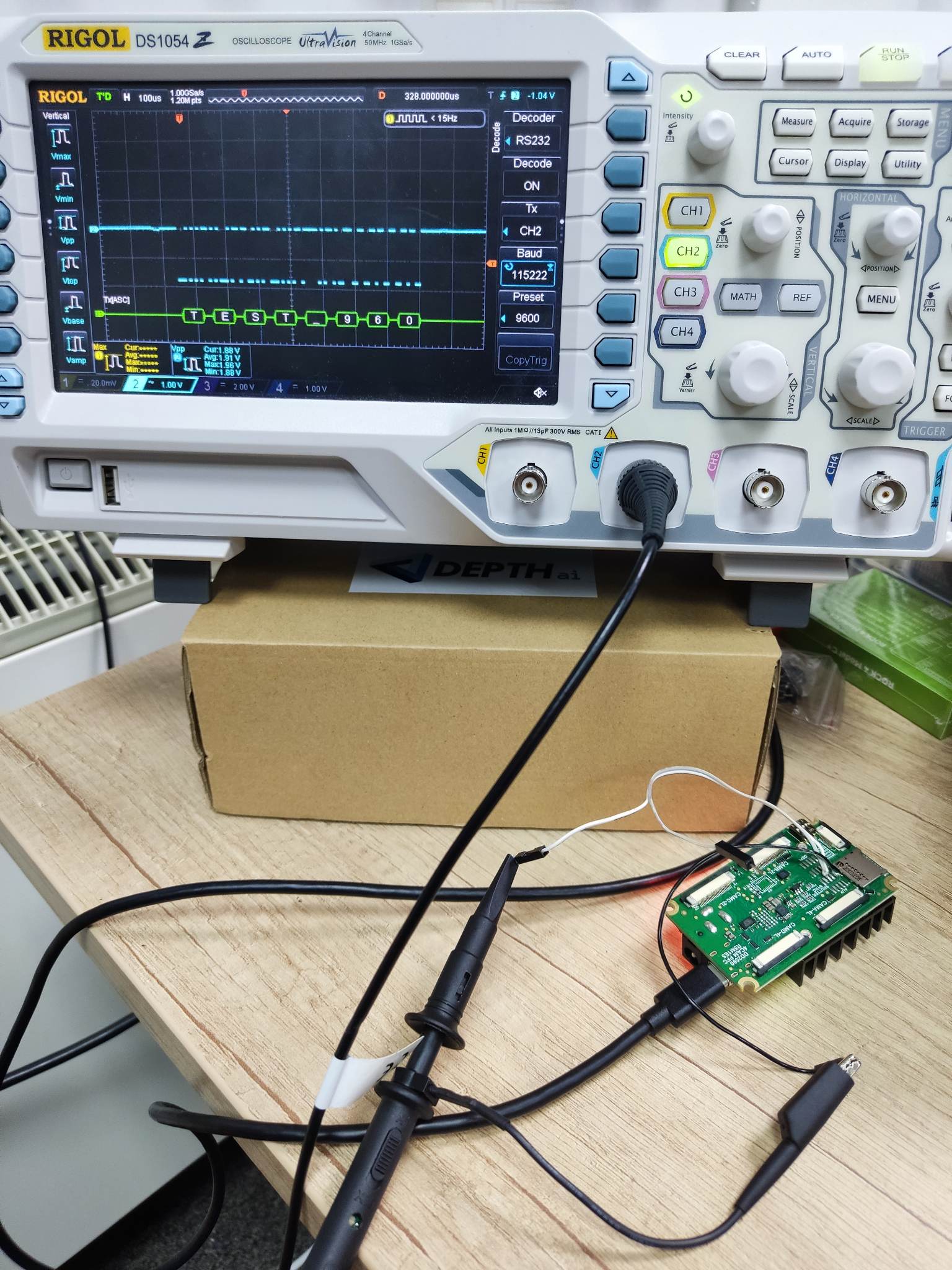
设置
Command Line
1git clone https://github.com/luxonis/depthai-python.git
2cd depthai-python/examples
3python3 install_requirements.py源代码
Python
PythonGitHub
1#!/usr/bin/env python3
2'''
3NOTE: This should only be run on OAK-FFC-4P, as other OAK cameras might have different GPIO configuration!
4'''
5import depthai as dai
6import time
7
8# Start defining a pipeline
9pipeline = dai.Pipeline()
10
11script = pipeline.create(dai.node.Script)
12script.setScript("""
13    import serial
14    import time
15
16    ser = serial.Serial("/dev/ttyS0", baudrate=115200)
17    i = 0
18    while True:
19        i += 1
20        time.sleep(0.1)
21        serString = f'TEST_{i}'
22        ser.write(serString.encode())
23""")
24# Define script for output
25script.setProcessor(dai.ProcessorType.LEON_CSS)
26
27
28config = dai.Device.Config()
29# Get argument first
30GPIO = dai.BoardConfig.GPIO
31config.board.gpio[15] = GPIO(GPIO.OUTPUT, GPIO.ALT_MODE_2)
32config.board.gpio[16] = GPIO(GPIO.INPUT, GPIO.ALT_MODE_2)
33config.board.uart[0] = dai.BoardConfig.UART()
34
35
36with dai.Device(config) as device:
37    device.startPipeline(pipeline)
38    print("Pipeline started")
39    while True:
40 time.sleep(1)管道
需要帮助?
请前往 Discussion Forum 获取技术支持或提出您可能有的任何其他问题。